HappyMod Guides: Risks & Safer Alternatives

HappyMod is an unofficial Android store for modified APKs. These guides explain how it works, what security scanners have found, how to recognise fake clone sites, and which legitimate app stores to use instead. We do not provide HappyMod downloads or mod files.
HappyMod at a glance
| HappyMod | Google Play | |
|---|---|---|
| Type | Unofficial store for modified apps | Official Android app store |
| Who makes the apps | Unknown modders | Verified developers |
| Security scanning | None you can verify | Play Protect |
| Updates | Manual | Automatic |
| Account risk | Bans possible in games and apps | None |
All HappyMod guides
HappyMod Alternatives 2026: 5 Safe Options That Actually Work
Five safe, legal HappyMod alternatives for 2026 and how to switch from mod stores without losing your apps…
Is HappyMod Safe? An Honest Risk Check (2026)
Is HappyMod safe? What virus scans can and cannot prove, fake HappyMod clone sites, account risks and safer…

HappyMod APK: What It Is, Security Risks, and Safer Alternatives
An honest look at HappyMod: how it works, what security scanners found, how to spot fake clone sites,…
How HappyMod works
- The HappyMod app itself is installed as an APK from outside Google Play.
- Inside it, users browse a catalogue of modified games and apps uploaded by the community.
- A mod APK downloads and is installed through Android’s “Install unknown apps” permission.
- Every update must be downloaded and installed manually.
The key point: mods are created by unknown third parties, not the original developers. When code is changed, the original developer’s digital signature breaks and the modder signs the file with their own key — so you cannot verify who changed what.
The main risks
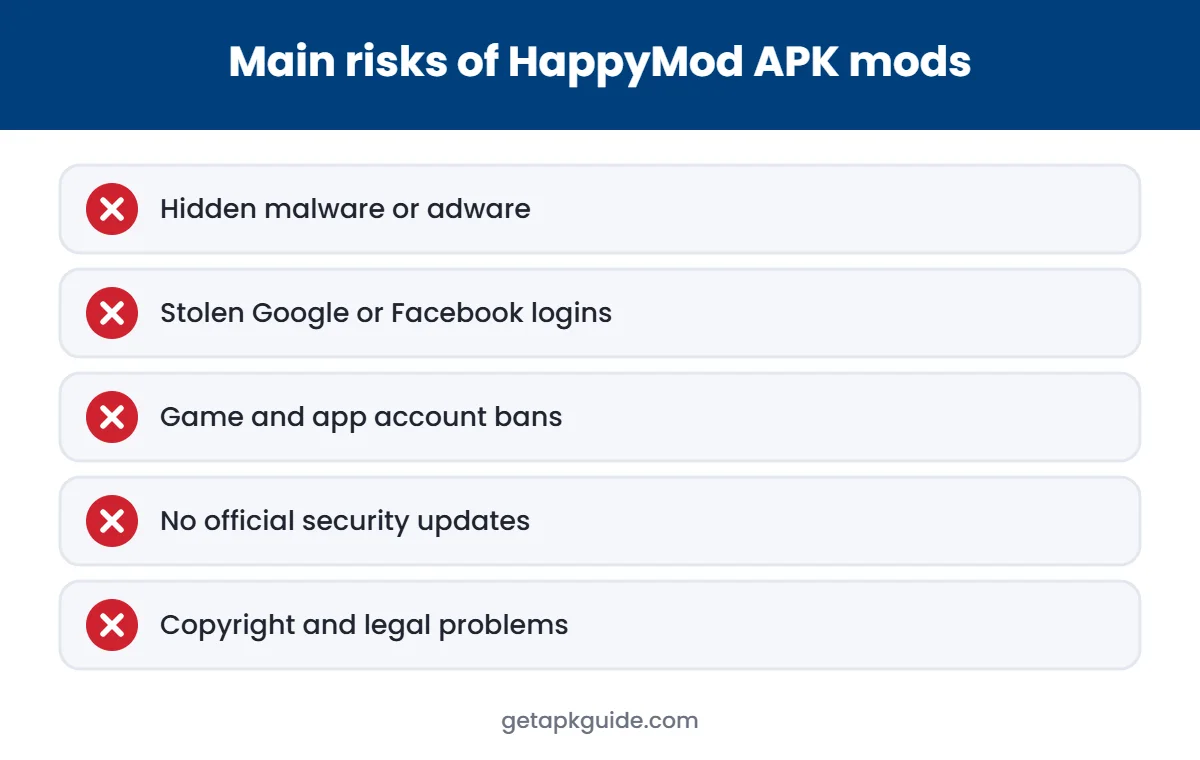
Malware
Modified code can hide spyware, adware or banking trojans.
Stolen logins
Signing in with Google or Facebook inside a modded app exposes those accounts.
Account bans
Games and apps can detect modified clients and restrict or close accounts.
No updates
Mods miss official security fixes and often break after server changes.
Legal issues
Unlocking paid content distributes copyrighted software without permission.
Disabled protection
Some sites tell you to turn off Play Protect — a major red flag.
How to spot fake HappyMod sites
| Warning sign | What it means |
|---|---|
| Calls itself “official” on an odd domain | Many clone domains copy the HappyMod name |
| Download goes through several ad or survey pages | Typical of ad-farming and malware sites |
| Asks you to install a second app or enter details | Possible scam or data harvesting |
| Tells you to disable Play Protect | You are being asked to switch off your phone’s malware protection |
If you see any of these, close the page.
Already installed HappyMod? Do this
- Uninstall HappyMod and any mods installed through it (Settings → Apps).
- Open Google Play → profile → Play Protect → Scan (see Google’s Play Protect help).
- Remove “Install unknown apps” permission from the browser or file manager you used.
- Change passwords for accounts used inside modded apps and turn on two-step verification.
- Watch for new pop-up ads, battery drain or unknown apps.
Safer alternatives
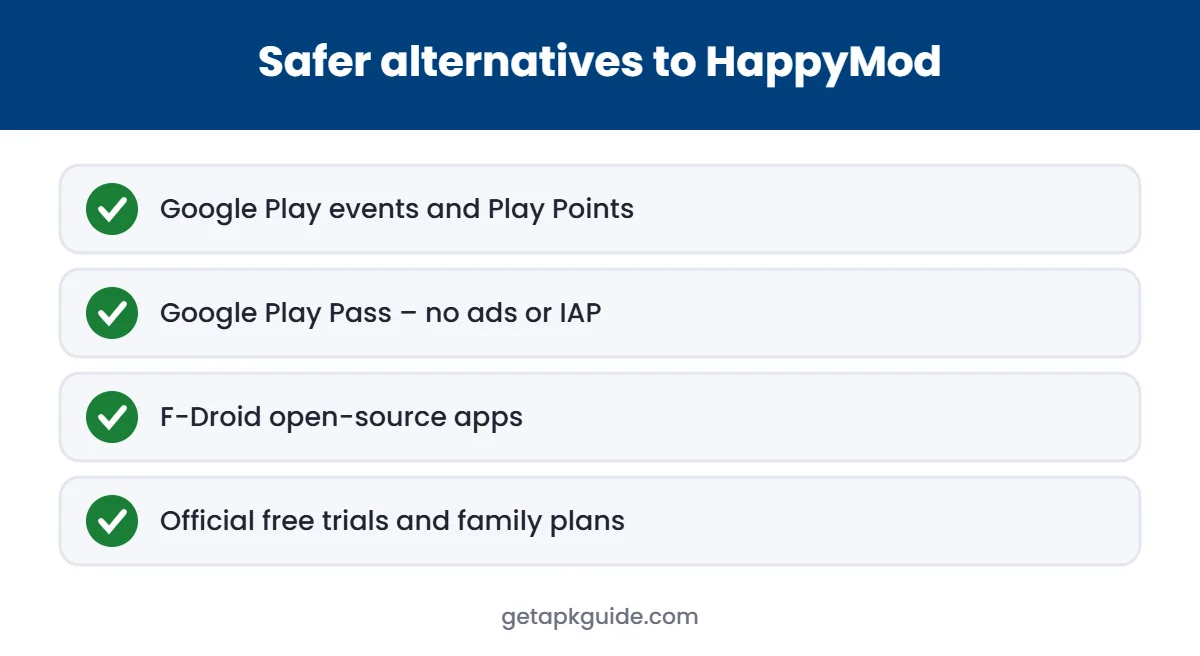
Google Play
Many games run free events, discounts and Play Points rewards.
Google Play Pass
A subscription with games and apps free of ads and in-app purchases.
F-Droid
A store for free and open-source Android apps with public source code.
Developer websites
Some developers offer their own APK, signed with their own key.
Why people search for HappyMod
Most people looking for HappyMod want something specific: unlimited in-game currency, unlocked characters, no ads, or premium app features without paying. Those are understandable goals — mobile games and subscriptions can be expensive. The problem is the method. Mod stores deliver those features by changing other developers’ code, and that change is exactly what makes the files impossible to verify.
What a “mod” actually changes
A modder unpacks the original APK, edits the code — for example, to skip a purchase check or remove ad calls — and packs it again. Because the contents changed, the original developer’s signature no longer matches, so the modder signs the app with a new key. From that point on, Android cannot tell you who wrote the code you are running. The same editing step that unlocks a feature can just as easily add hidden code that reads notifications, shows ads outside the app or collects login details.
Legal ways to pay less for apps and games
Google Play Points
Earn points on purchases and redeem them for in-app items or discounts.
Free trials
Many premium apps offer trials — set a reminder to cancel before billing starts.
Family sharing
Some subscriptions and purchases can be shared with family members through Google Play.
Play Pass
One subscription covering many games and apps without ads or in-app purchases.
Seasonal sales
Paid apps and in-game items are often discounted during events and holidays.
Keeping children away from mod stores
Mod stores are popular with younger players who want free game items. Parents can use Google Family Link to approve app installs, set content ratings in Google Play, and block installs from unknown sources on a child’s device. Explaining why mods can lead to stolen accounts often works better than a ban alone — many players have lost game progress after signing in to modified versions.
Why “virus-free” labels mean little
Mod sites often show badges such as “100% safe”, “virus-free” or “tested”. These labels are written by the same sites distributing the files, so they are marketing, not verification. A file can pass an antivirus scan today and still contain code that activates later, downloads extra components, or misuses permissions in ways scanners don’t flag. Independent checks — such as MalwareTips’ domain ratings — look at reputation and reports over time, and those point to high risk for HappyMod and its clones. The only reliable protection is not installing modified apps in the first place, and keeping Play Protect switched on.
Quick answers
Is HappyMod safe?
It cannot be considered safe. MalwareTips rates happymod.com as high risk, and many clone domains have been flagged for malware.
Why isn’t HappyMod on Google Play?
Google Play does not allow apps that distribute modified or pirated versions of other developers’ apps.
What should I do if I installed it?
Uninstall it and any mods, run a Play Protect scan, remove “Install unknown apps” permission, and change passwords you used inside modded apps.
Is HappyMod a virus?
HappyMod is a store rather than a virus itself, but the files it distributes are modified by unknown people and have been linked to malware.
Is HappyMod legal?
Mods that unlock paid content or currency distribute copyrighted software without permission and break app terms of service.
Will HappyMod work after Android’s 2026 changes?
Apps from unverified developers need an extra “advanced” install process with a waiting period in regions where developer verification is enforced.
Related topics
APK Install Help
How to check an APK and install apps safely.
Remini
Official Remini guides and legal ways to get Pro features.