APK vs AAB: What Is the Difference? (Simple 2026 Guide)
APK vs AAB: what is the difference, and why does it matter to you? If you have ever downloaded an Android app outside Google Play, you have seen APK files. But since 2021, developers publish new apps on Google Play as AAB files instead. This simple guide explains APK vs AAB for normal users and beginners, why Google made the change, and what it means when you want to install an app yourself.
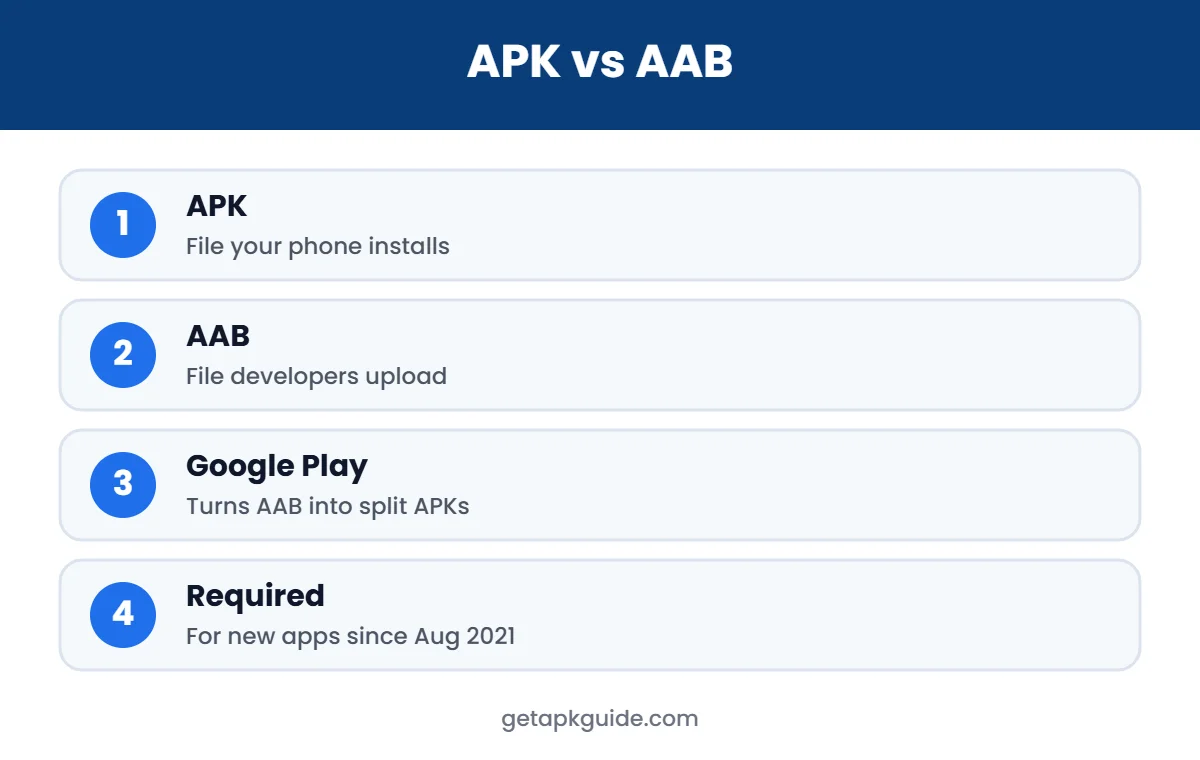
In one line: an APK is the file your phone installs; an AAB (Android App Bundle) is the file developers upload to Google Play, which Google then turns into small, device-specific APKs for you.
You do not need to be a developer to follow this guide. We use plain language, simple examples and a comparison table, so you can understand the difference in a few minutes and know what to do the next time you see an APK, XAPK or AAB file.
What Is an APK?
APK stands for Android Package Kit. It is an installable package that contains an app’s code, images, layouts, the manifest and the developer’s digital signature. You can copy an APK to any compatible Android device and install it. Our guide on what an APK file is explains the parts in more detail.
What Is an AAB?
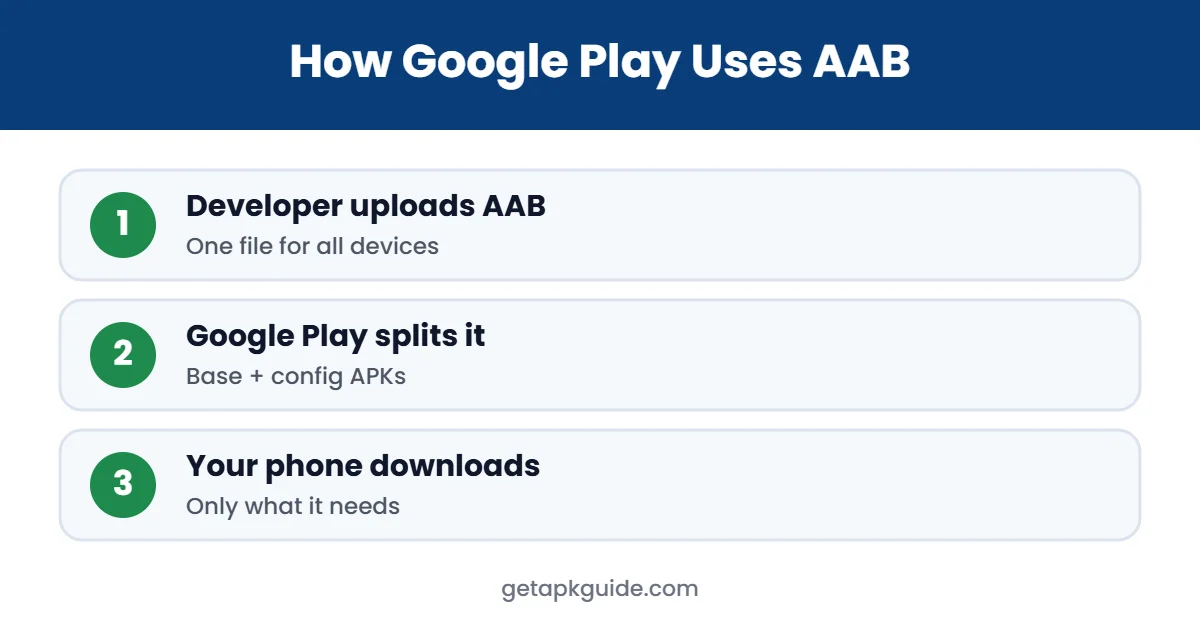
AAB stands for Android App Bundle. It is a publishing format, not an install format. A developer uploads one AAB to Google Play containing everything the app needs for every type of phone: all screen densities, languages and processor types. Google Play then generates and delivers only the pieces each device needs, as a set of split APKs.
Google Play has required new apps to be published as Android App Bundles since August 2021 (9to5Google). Existing apps could keep using APKs for updates, but most popular apps have moved to bundles.
APK vs AAB: Key Differences
| Point | APK | AAB |
|---|---|---|
| Full name | Android Package Kit | Android App Bundle |
| Who uses it | Your phone (to install) | Developers (to publish) |
| Can you install it directly? | Yes | No |
| Contains | Code for the devices it was built for | Everything for all devices |
| Download size for users | Often larger (universal) | Smaller (only what your device needs) |
| Signing | Signed by developer | Google Play signs the generated APKs with the app signing key |
| Required on Google Play | For older apps only | For new apps since Aug 2021 |
For everyday users, the most visible effect of this change is file formats. Five years ago, almost every app on a download site was a single APK. Today, many popular apps are only available as split bundles, and some sites label them with different extensions. Knowing that these are just several APKs packed together removes most of the confusion.
How Split APKs Work
To understand APK vs AAB, it helps to see what Google Play sends to your phone. From one AAB, Google Play builds several split APKs:
- Base APK: the core code every device needs.
- Configuration APKs: pieces for your screen density (for example xxhdpi), your processor (arm64-v8a) and your language.
- Feature APKs (optional): parts of the app that download only when you use that feature.
Your phone installs these together as one app. That is why, if you copy only the base APK to another phone, the app may crash or refuse to install: the configuration pieces are missing.
APK vs AAB: Why Google Switched to AAB
- Smaller downloads: users only get the code and resources for their phone, which saves data and storage.
- Faster updates: smaller packages update more quickly.
- Feature delivery: apps can download extra features or game assets only when needed.
- Easier for developers: one upload instead of many APK variants.
What APK vs AAB Means When You Sideload
Because Google Play now creates split APKs, many apps no longer exist as one “universal” APK file. That is why download sites offer bundle formats such as XAPK, APKS or APKM, which pack several split APKs together. Your phone’s normal installer cannot open those; you need a split-APK installer, as explained in how to install XAPK files.
You also cannot install an .aab file on your phone. If someone sends you an AAB, it is meant for developers. It must be converted to APKs with Google’s official bundletool before it can be installed, and the result must be signed.
APK vs AAB: Which Should You Download?
As a normal user, you rarely choose. On Google Play, the store handles everything. When you download from a developer’s website or a trusted mirror, look for:
- A single universal APK if available; it is the easiest to install.
- Otherwise, the bundle (XAPK, APKS or APKM) and a split-APK installer.
- Never an .aab file; it is not meant for phones.
If an install fails after choosing the right format, check our fixes for App Not Installed and APK not installing on Android 14.
Is AAB Safer Than APK?
The format itself is not “safer” for you. Safety still depends on where the app comes from. An app delivered by Google Play from an AAB is scanned by Play Protect and signed with the app’s signing key. A split APK bundle from an unknown website can still be modified. Always use official sources and check signatures; our APKMirror review explains how signature checks work.
APK vs AAB for Developers
If you build apps, the APK vs AAB choice is mostly decided for you on Google Play: new apps must use AAB. You still produce APKs for testing, for other stores and for direct downloads from your own website. Publishing an AAB also means using Play App Signing, where Google keeps the app signing key and signs the APKs it generates, while you sign uploads with an upload key.
- Use AAB: for Google Play releases.
- Use APK: for testing, internal sharing, other app stores and your own website.
- Use bundletool: to test how Google Play will split your AAB, or to build APKs from it locally.
Common Myths About APK vs AAB
- “AAB means you cannot sideload apps anymore.” False. Sideloading still works; apps may just come as split APK bundles.
- “AAB files are encrypted.” False. They are ZIP-based packages like APKs, just structured for publishing.
- “Universal APKs are gone.” Not entirely. Many developers still offer them on their own websites.
- “AAB apps are always safer.” The format does not decide safety; the source does.
Clearing up these myths makes the APK vs AAB topic much less confusing: think of AAB as the box developers send to Google, and APKs as what arrives at your phone.
A Simple Example
Imagine a game that includes high-resolution graphics for tablets, low-resolution graphics for small phones, and voice packs in 20 languages. As a single universal APK, everyone would download all of it, perhaps several gigabytes. With an AAB, a phone user in Pakistan with an arm64 processor and English language gets only the base code, phone-sized graphics, arm64 libraries and English files. The download can be much smaller, and the game installs faster.
This is the main reason the APK vs AAB change happened: it saves storage and data for users, especially on budget phones and slower connections.
Quick Summary
- APK = what your phone installs.
- AAB = what developers upload to Google Play.
- Google Play turns one AAB into split APKs for each device.
- You cannot install an AAB directly; use Google Play or a trusted APK source.
- Safety depends on the source, not on APK vs AAB.
Where to Learn More
If you are a developer, Google’s official Android App Bundle documentation explains how to build, test and publish bundles, and the bundletool page shows how to generate APKs from an AAB on your own computer. If you are a regular user, the most useful takeaway from APK vs AAB is practical: install from Google Play when you can, choose universal APKs or trusted split bundles when you cannot, and never install files from sources you cannot verify.
Understanding APK vs AAB also helps you read error messages. A “missing split” or “app not installed” error after copying an app from another phone usually means you copied only part of a split app. Reinstalling from Google Play, or from a trusted bundle with all its pieces, fixes it in most cases.
FAQ: APK vs AAB
Can I install an AAB file on Android?
Not directly. AAB files are for publishing on Google Play. They must be converted to APKs with bundletool and signed first.
Is APK being replaced by AAB?
Only on the developer side. Your phone still installs APKs; Google Play just generates them from the AAB.
Why are some downloads XAPK instead of APK?
Because apps published as bundles are split into several APKs. XAPK and similar formats package those split files together.
Is an AAB smaller than an APK?
The AAB itself can be larger, but what users download from it is usually smaller, because Google Play only sends the parts their device needs.
Do I need to do anything as a normal user?
No. If you install from Google Play, the APK vs AAB difference is handled for you automatically.