How to Install XAPK Files on Android (3 Safe Methods)
You downloaded an app and the file ends in .xapk instead of .apk. Tap it and Android either does nothing or says it cannot open the file. That is normal: Android’s built-in installer does not understand XAPK files. This guide explains how to install XAPK files safely, what is inside them, why “converting” an XAPK to APK rarely works, and what to do if the install fails.
Quick tip before you start: if the app is on Google Play, install it from there. You will never need to know how to install XAPK files for apps you get from the Play Store.
What is an XAPK file?
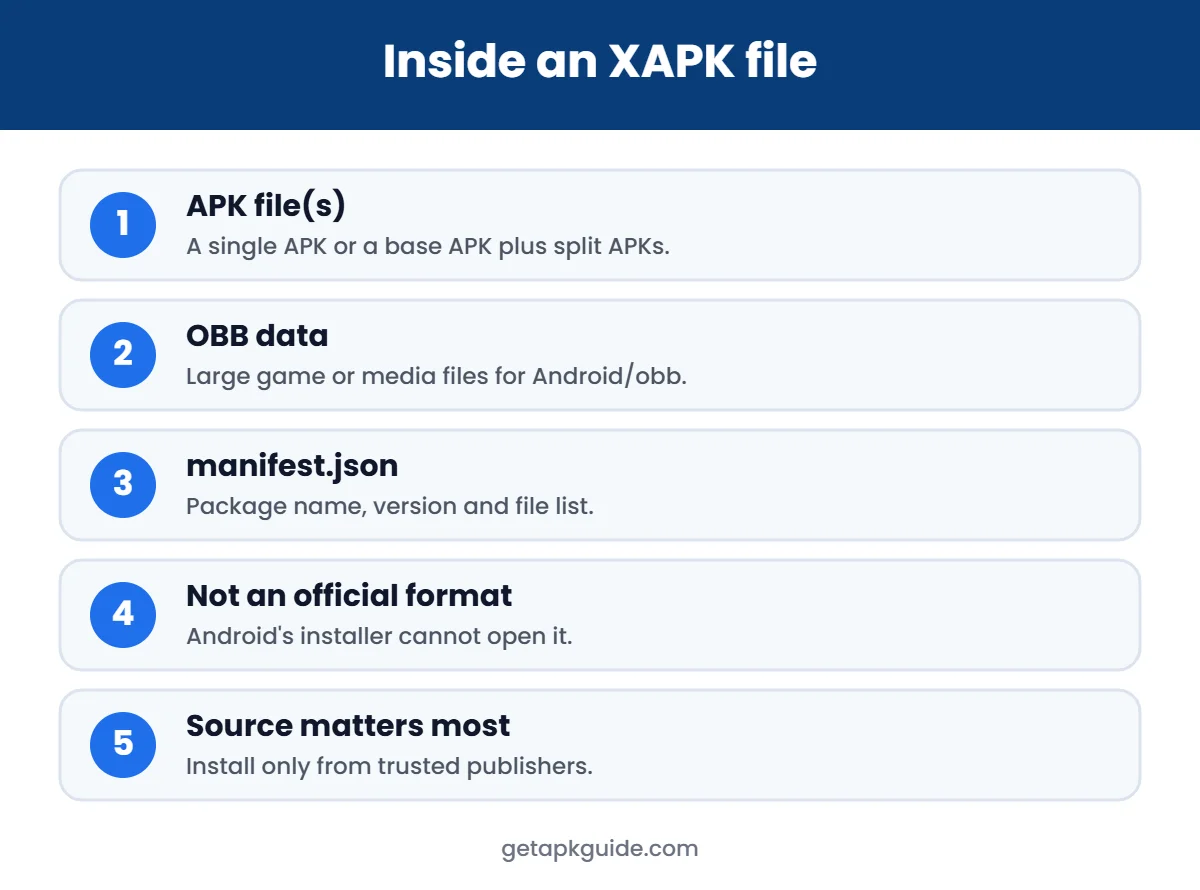
XAPK is an archive format introduced by the APKPure app store for apps that need more than a single APK. It is a zip file that usually contains:
- One or more APK files – either a single APK or a “base” APK plus split APKs for your screen size, language and processor.
- OBB data files – large game or media data, stored under an
Android/obbfolder. - A manifest.json file – a small file describing the package name, version and contents.
Because XAPK is not an official Android format (see the FileInfo description of .xapk), the normal Package Installer cannot open it. That is why people search for how to install XAPK files in the first place. You need an installer that understands the format, or you unpack it yourself.
Method 1: Get the app from Google Play (safest)
Google Play delivers apps as bundles and installs the right split APKs automatically. Search for the app in the Play Store first. If it is available in your country, this is the best answer to how to install XAPK content: you do not have to, because Play handles it.
Method 2: How to install XAPK with an installer app
An XAPK installer reads the archive and installs every part in one go. Common options are the installer built into the APKPure app and the open-source Split APKs Installer (SAI). Basic steps:
- Install the installer app from a trusted source.
- Allow Install unknown apps for that installer only. Our guide on how to allow install unknown apps shows the setting on Samsung, Xiaomi and Pixel.
- Open the installer, choose the .xapk file and tap Install.
- Approve the Android install prompt.
- Turn the install permission off again when you are done.
Be aware that installer apps need powerful permissions. APKPure itself shipped a version with a malicious advertising SDK in 2021 (fixed in the next release), so keep any installer updated and remove it when you no longer need it. Read Is APKPure safe? for details.
Method 3: How to install XAPK files manually
Since an XAPK is a zip file, you can open it yourself. This works best for XAPKs that contain one APK plus OBB data.
- Rename the file from
app.xapktoapp.zipand extract it with your Files app. - Inside, find the .apk file. If there is only one, install it like a normal APK.
- If there is an
Android/obb/folder, copy the folder named after the package (for examplecom.example.game) toInternal storage/Android/obb/on your phone. - Open the app. If it asks to download data again, the OBB folder is in the wrong place or has the wrong name.
When you work out how to install XAPK data by hand, note that on Android 11 and later many file managers cannot write to the Android/obb folder. In that case an installer app or a computer with ADB is the more reliable way.
If the XAPK contains several APK files
Split APKs must be installed together, which is the trickiest part of how to install XAPK archives. Google explains split delivery in its Android App Bundle documentation. Installing only base.apk usually ends with App not installed or There was a problem parsing the package. Use an installer app, or a computer with ADB:
adb install-multiple base.apk split_config.arm64_v8a.apk split_config.en.apk split_config.xxhdpi.apkUse the exact file names from your archive. ADB is a developer tool, so only use it if you are comfortable with a command line.
Can you convert XAPK to APK?
Usually not in a useful way. Renaming .xapk to .apk does not work, because the file is a zip archive, not an APK. If the XAPK holds one APK plus OBB data, you can extract that APK (Method 3). If it holds split APKs, they cannot be merged into one working APK without rebuilding and re-signing the app, which breaks the original signature and makes the file untrustworthy.
Is it safe to install XAPK files?
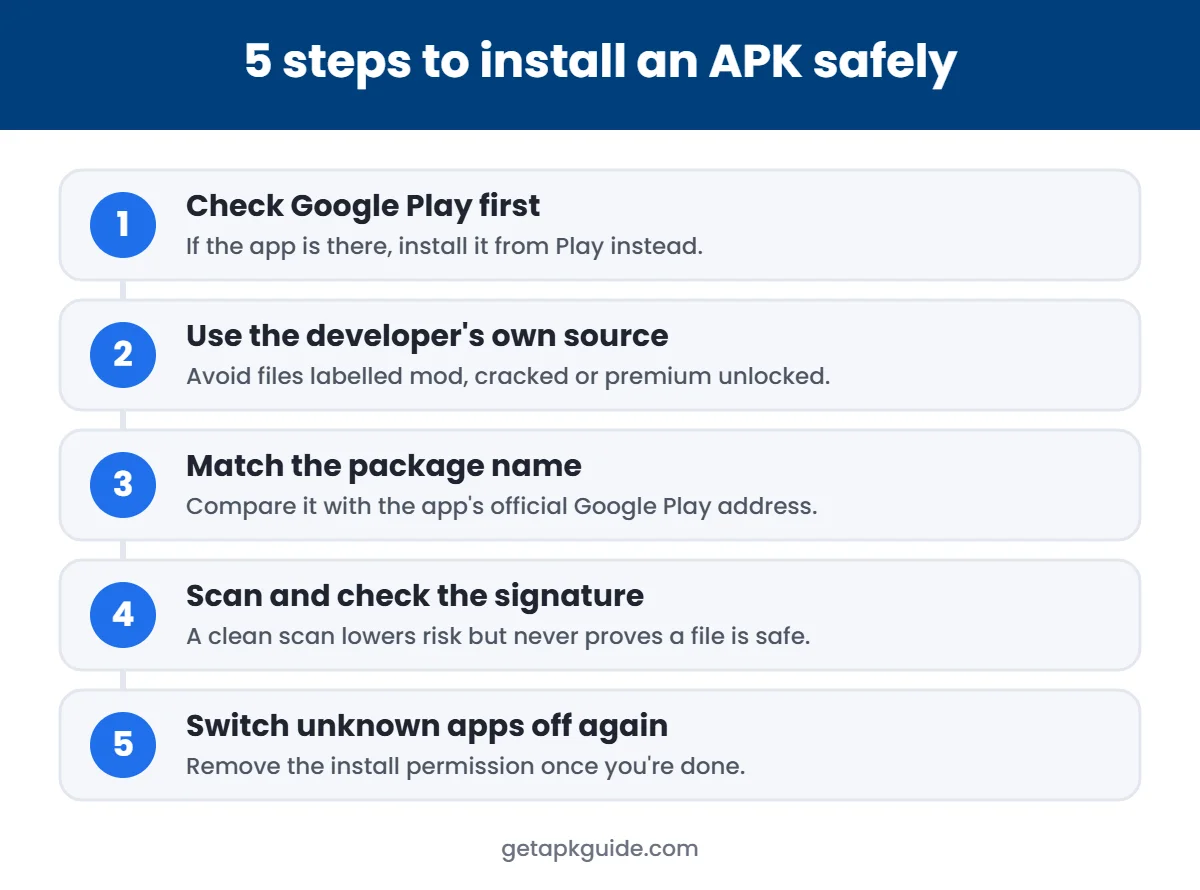
The format itself is not dangerous, but you cannot verify what is inside an XAPK from an unknown site. Before you learn how to install XAPK files from the web, check these points:
- Download only from the developer or a store that checks signatures.
- Never install XAPKs labelled mod, cracked or “premium unlocked”. See Is HappyMod safe?.
- Keep Google Play Protect turned on and read its warnings.
- Check the permissions the app asks for after installation.
XAPK vs APK vs APKS vs APKM
| Format | What it is | How to install |
|---|---|---|
| .apk | Standard single Android package | Android installer |
| .xapk | APKPure archive: APK(s) + OBB + manifest | Installer app or manual unpack |
| .apks | Split APK set (often from bundletool or SAI) | SAI or ADB |
| .apkm | APKMirror bundle format | APKMirror Installer |
FAQ
Why can’t Android open my XAPK file?
Android’s Package Installer only reads .apk files. An XAPK is a zip archive, so you need an installer app or to extract it first.
How to install XAPK without an app?
Rename it to .zip, extract it, install the single APK and copy the OBB folder to Android/obb. If there are several APKs, you need ADB or an installer.
Is XAPK a virus?
No, it is just a format. But any app file from an unknown source can contain malware, so the source matters more than the extension.
Do I need XAPK for apps on Google Play?
No. Google Play installs bundles automatically. You only need to know how to install XAPK files for apps you get elsewhere.
Related: not sure which tool to use? Compare options in our APK installer guide.