7 Best Video Downloader Apps for Android (Legal & Safe, 2026)
Looking for the best video downloader apps for Android? Most “downloader” lists push apps that are not on Google Play and break the terms of the sites they download from. This list is different: it focuses on video downloader apps and features that are legal, available from official sources, and safe to install. We also explain which popular downloaders to avoid and why.
Quick list: best video downloader apps (legal options)
| App / feature | Best for | Where to get it |
|---|---|---|
| YouTube Premium | Offline YouTube videos | Inside the YouTube app |
| Streaming app downloads | Films and series offline | Netflix, Prime Video and others |
| TikTok “Save video” | Clips the creator allows | Inside TikTok |
| Advanced Download Manager | Direct video files you have rights to | Google Play |
| Chrome / your browser | Direct download links | Built in |
| Google Drive | Your own videos | Google Play |
| Account data export | Your own Instagram/Facebook videos | Platform settings |
1. YouTube Premium – official offline YouTube
YouTube’s own download button is the only way to save YouTube videos that its Terms of Service allow for most users. With YouTube Premium, videos are saved inside the YouTube app for offline viewing.
Good: legal, high quality, no extra app. Limits: paid; videos stay inside the YouTube app.
2. Built-in downloads in streaming apps
Many streaming services let you download films and episodes inside their apps for offline viewing, depending on your plan and the title. This is usually the best legal choice for movies and series.
3. TikTok’s “Save video” option
TikTok lets you save a video if the creator has allowed downloads. Tap Share → Save video. If the option is missing, the creator has turned it off, and third-party video downloader apps should not be used to get around that.
4. Advanced Download Manager (ADM)
ADM is a download manager on Google Play for direct file links, such as a video a teacher, creator or website offers as a downloadable file. It can pause, resume and speed up large downloads. It is not a YouTube ripper.
5. Your browser’s download feature
If a website offers a real download link, Chrome or any Android browser can save it without an extra app. Check the file in your Files app afterwards.
6. Google Drive for your own videos
If the video is yours, keeping it in Google Drive and marking it Available offline is often easier than any downloader.
7. Export your own Instagram or Facebook videos
Both platforms let you download a copy of your own data, including videos you uploaded, from their account settings. It takes time, but it is the official route.
Video downloader apps to avoid
- SnapTube: not on Google Play, and caught in a 2019 ad-fraud case. See our SnapTube APK guide.
- TubeMate: not on Google Play, many fake copies. See our TubeMate APK guide.
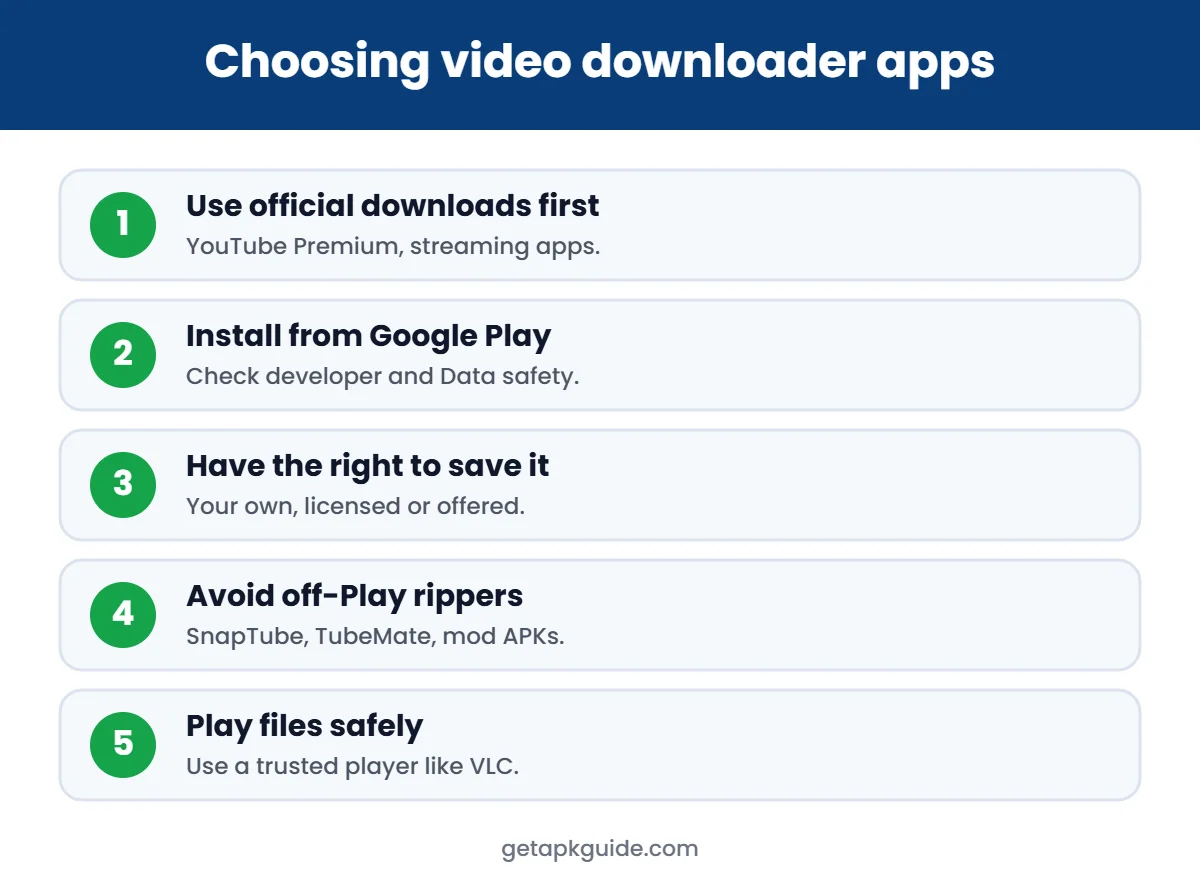
- “Pro”, “mod” or “no ads” downloader APKs: modified by third parties. See why mod APKs are risky.
- Any downloader asking for SMS, contacts or your Google password.

How to choose a safe video downloader app
- Prefer features built into the official app (YouTube, TikTok, streaming apps).
- Install only from Google Play, and check the developer and Data safety section.
- Make sure you have the right to save the video: your own, licensed, or offered as a download.
- Keep Google Play Protect on. Read our Play Protect guide.
- After downloading, play files with a trusted player such as VLC.
YouTube video downloader apps: what is allowed?
Many people search for a YouTube video downloader app. YouTube’s own terms do not allow downloading videos with third-party tools, and many such apps are removed from Google Play for that reason. The legal options are:
- YouTube Premium: download videos inside the YouTube app for offline viewing.
- Your own uploads: creators can download their own videos from YouTube Studio.
- Videos with a download button or a free licence: some creators and sites offer direct downloads.
Avoid “YouTube downloader APK” files from unknown sites. They often carry heavy ads or hidden code, and some imitate well-known app names.
FAQ
What is the safest video downloader app?
The download feature inside the official app, such as YouTube Premium or a streaming service, is the safest and legal choice.
Are video downloader apps legal?
The app may be legal, but downloading content without permission from the platform or rights holder usually is not. YouTube’s terms forbid it without its download option.
Why are many video downloader apps not on Google Play?
Google Play does not allow apps that download YouTube videos, so those apps are distributed as APKs elsewhere.
Can I download Instagram videos legally?
You can download your own videos through Instagram’s data download. For other people’s videos, ask the creator for permission.