TubeMate APK: Is It Safe? Fake Copies, Legal Facts & Alternatives
TubeMate APK is one of the oldest YouTube video downloaders for Android. It is free and ad-supported, but like other YouTube downloaders it is not on Google Play, so people get it as an APK from websites and third-party stores. This guide explains what TubeMate does, the safety and legal issues, how to spot fake TubeMate APK files, and legal ways to watch videos offline.
We do not host or link to the TubeMate APK or any video downloader files.
What is TubeMate?
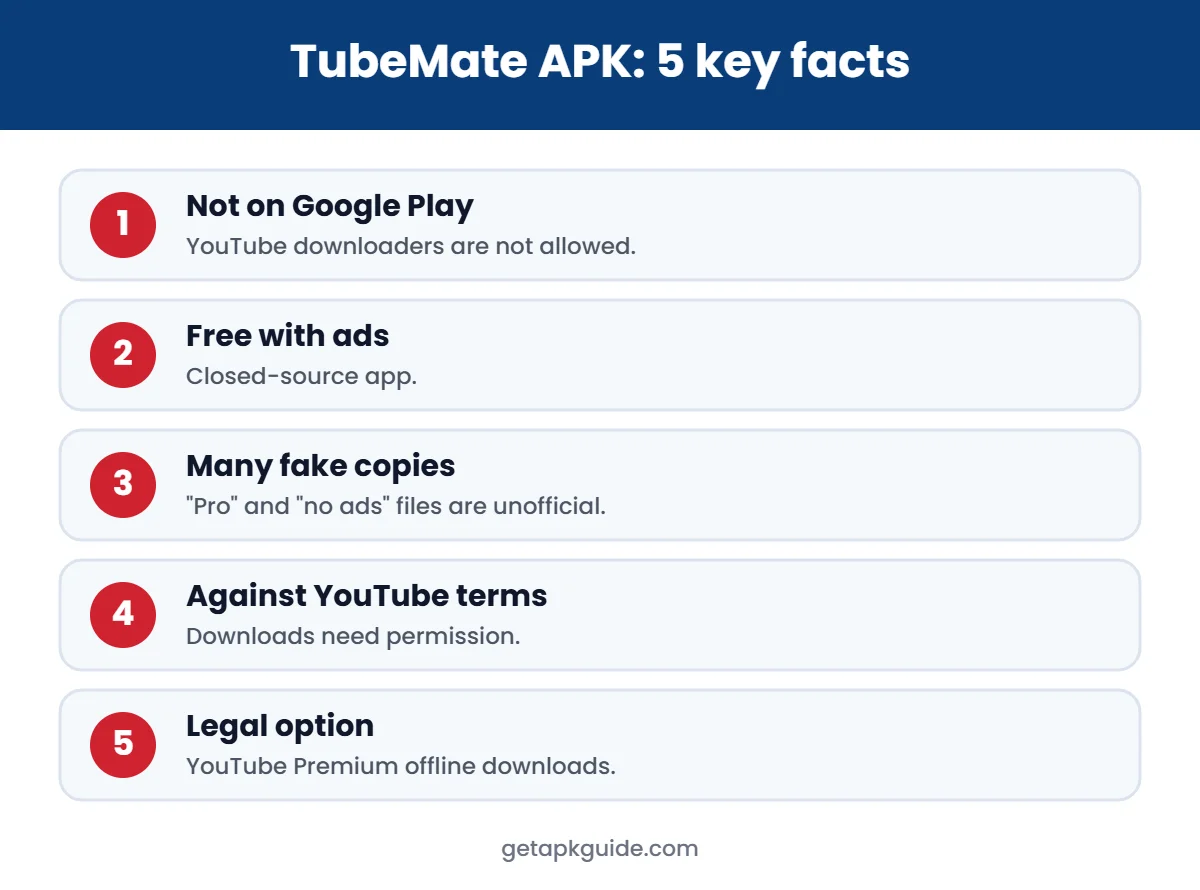
TubeMate opens YouTube inside its own app and adds options to save videos or audio in different resolutions. According to AlternativeTo, it is a free, ad-supported, closed-source Android app, and it is available outside Google Play because Google removed YouTube downloaders from the Play Store.
Why the TubeMate APK is not on Google Play
Google Play’s rules do not allow apps that download YouTube videos, because that breaks YouTube’s terms. That means every TubeMate APK you find is installed from outside the Play Store, without Google Play’s review of each update.
Is the TubeMate APK safe?
No independent party can promise that a given TubeMate APK file is safe. The main risks are:
- Fake copies: because the name is well known, many sites and apps use it. Some bundle adware or ask for permissions the real app does not need.
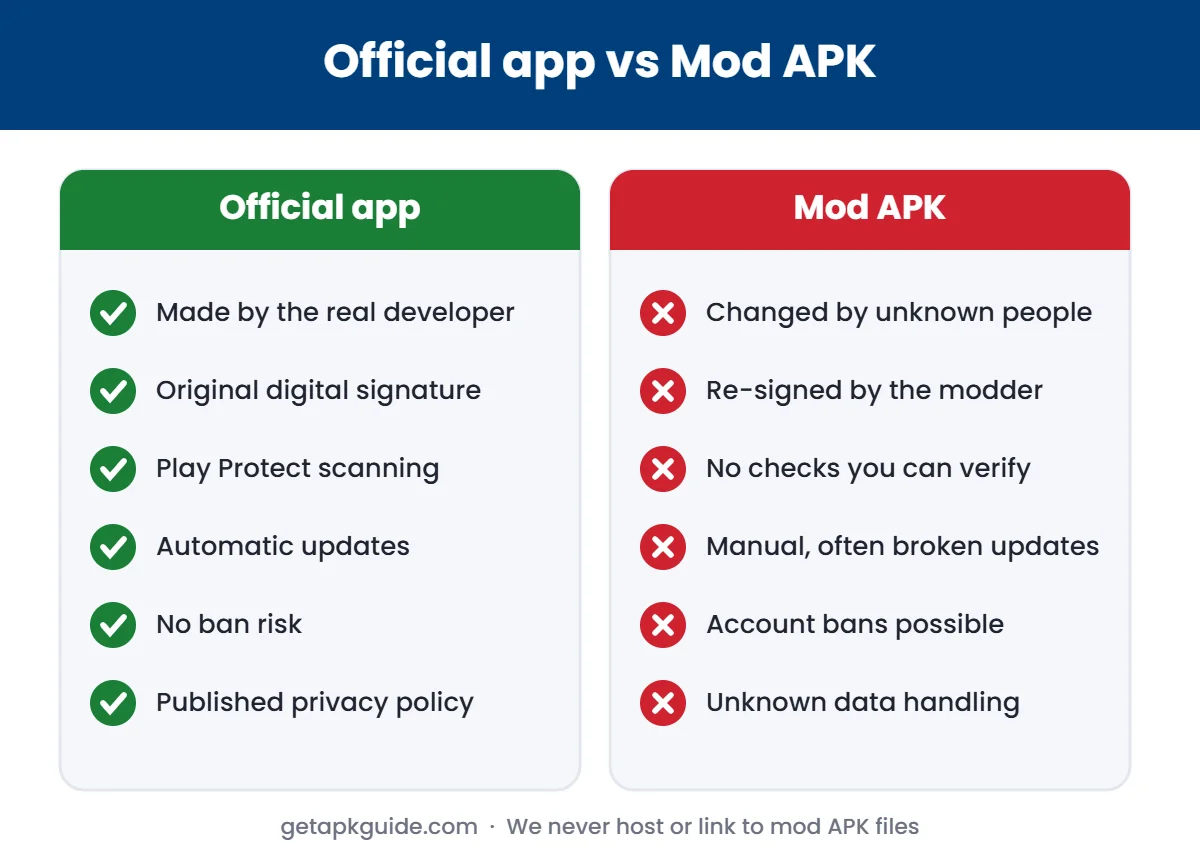
- “TubeMate Pro”, “no ads” or “mod” versions: these are modified by third parties and re-signed, so you cannot verify them. See why mod APKs are risky.
- Aggressive ads: ad-supported downloaders often show full-screen ads that try to install other apps.
- Manual updates: you have to download new versions yourself, which keeps you visiting APK sites.
How to spot a fake TubeMate APK
- The site has several fake “Download” buttons or forces you to install another app first.
- The file asks for SMS, contacts or accessibility access.
- The app shows its own login screen asking for your Google password. Never enter it.
- Google Play Protect warns about it. Do not ignore that warning. Read our Play Protect guide.
Is TubeMate legal?
YouTube’s Terms of Service do not allow downloading content unless YouTube provides a download option or you have permission from YouTube and the rights holder. Using a TubeMate APK to save YouTube videos breaks those terms, and depending on the content and your country it may also break copyright law.
Legal ways to watch YouTube videos offline
| Option | How it works |
|---|---|
| YouTube Premium | Download button inside the official YouTube app |
| Your own videos | Download from YouTube Studio |
| Licensed content | Some creators offer files on their own sites or under Creative Commons |
| Other streaming apps | Use their built-in offline download feature |
See more choices in our best video downloader apps list.
If you already installed a TubeMate APK
- Uninstall it from Settings → Apps.
- Run a Play Protect scan.
- Remove any apps it installed that you do not recognise.
- Turn off Install unknown apps for your browser. Here is how.
- Change your Google password if you ever typed it into the app.

TubeMate APK vs SnapTube
Both apps download YouTube videos, both live outside Google Play, and both raise the same legal questions. SnapTube also has a documented 2019 ad-fraud case. Read our SnapTube APK guide for details.
Why YouTube downloaders like TubeMate break so often
Apps such as TubeMate depend on reading YouTube’s pages in ways YouTube does not support. Whenever YouTube changes its systems, downloads can stop working until a new version appears. That creates a cycle: users search for “TubeMate APK latest version”, land on unofficial sites, and install whichever file looks newest. This is exactly when fake or modified copies spread.
- Do not install a “fixed” version from a random site after an update breaks the app.
- Wait for the developer’s own update, or switch to a legal option.
- Never install a second “helper” app that a download page asks for.
TubeMate APK permissions: what is reasonable
| Permission | Reasonable for a downloader? |
|---|---|
| Storage / media access | Yes, to save files |
| Network access | Yes |
| Notifications | Optional, for progress |
| Contacts, SMS, phone | No |
| Accessibility service | No |
| Device admin | No |
If a TubeMate APK asks for anything in the “No” rows, uninstall it and change the passwords of accounts you used on the phone.
Storage and data tips for offline viewing
Whichever legal method you use, a little planning saves space and mobile data:
- Download on Wi-Fi only; most apps have a “download over Wi-Fi only” setting.
- Choose 480p or 720p for phone screens; 1080p files can be several times larger.
- Save downloads to an SD card if your app allows it.
- Delete watched videos regularly. Our file manager guide shows how to find large files.
TubeMate and children: a safety note
Video downloaders are popular with teenagers, which makes them a common route for adware on family phones. If your child uses a shared phone:
- Turn on Google Play Protect and keep it on.
- Use Google Family Link to require approval for new apps.
- Keep “Install unknown apps” off for the browser and file manager.
- Talk about why “free premium” apps are risky instead of only blocking them.
TubeMate APK install problems and safer fixes
| Problem | Safer fix |
|---|---|
| “App not installed” | Usually a signature conflict with an older or fake copy; uninstall the old one first |
| “Problem parsing the package” | Incomplete or wrong file; see our parsing error guide |
| Play Protect warning | Treat it as a real warning and cancel the install |
| Downloads fail after a YouTube change | Wait for the official update or use a legal option |
If none of these fixes work, the safest choice is to stop using unofficial downloaders and use the legal options listed above.
FAQ
Is the TubeMate APK free?
The app is free and shows ads. Paid or “no ads” versions on other sites are not official.
Why can’t I find TubeMate on Google Play?
Google removed YouTube downloader apps from Google Play, so TubeMate is only distributed outside the store.
Does TubeMate have a virus?
The original app is not known as a virus, but you cannot verify a TubeMate APK from an unknown site. Fake and modified copies are common.
What is a safe alternative to TubeMate?
YouTube Premium for YouTube videos, and each streaming service’s built-in download feature for other content.