MX Player APK in 2026: Amazon MX Player, Safe Install & Alternatives
If you search for an MX Player APK, most guides you find are out of date. MX Player started in 2011 as a popular offline video player, but it has changed hands twice, and in 2024 it became Amazon MX Player, an ad-supported streaming service. This guide explains what changed, what the app is today, how to install the MX Player APK safely, and which players to use if you only want to watch your own files.
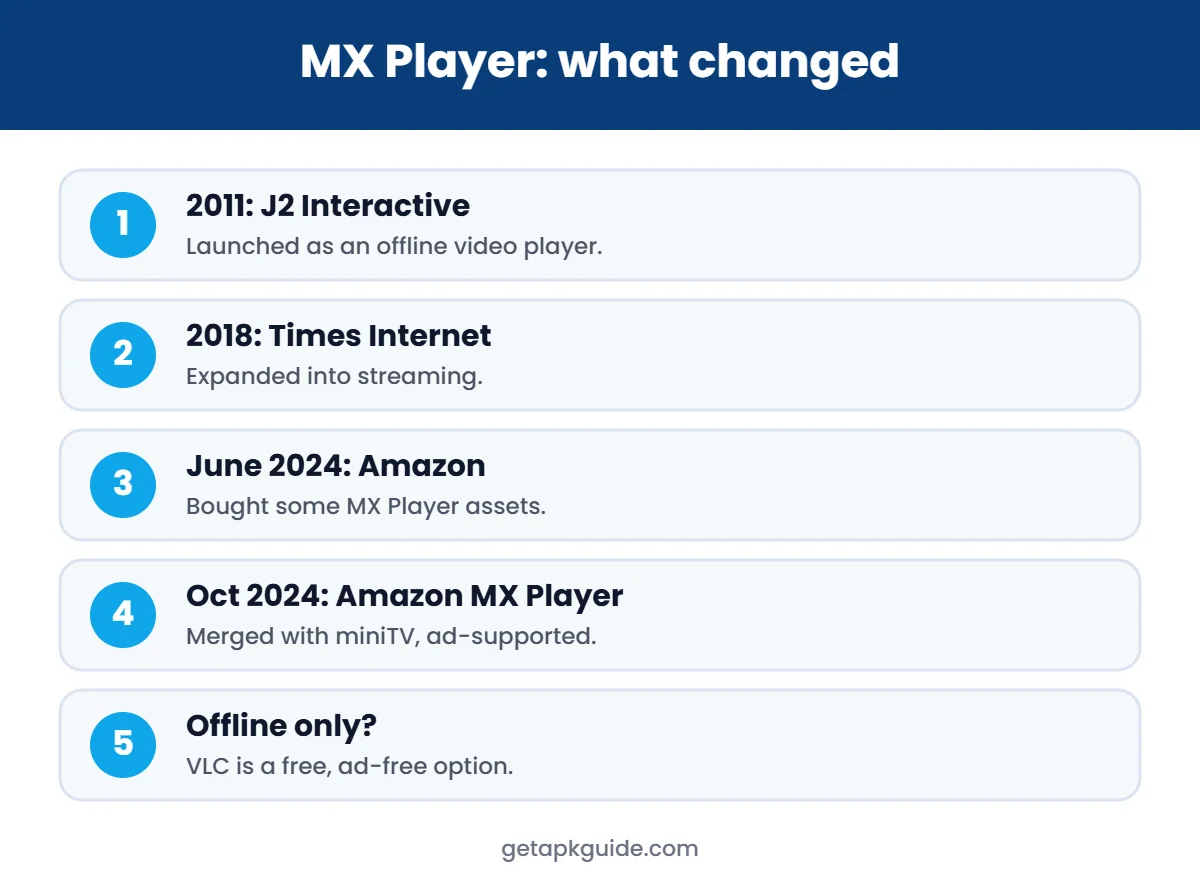
MX Player history in short
| Year | What happened |
|---|---|
| 2011 | Launched by J2 Interactive as an Android video player with subtitle support |
| 2018 | Acquired by Times Internet and expanded into streaming |
| June 2024 | Amazon confirmed it bought some MX Player assets (not the whole company) |
| October 2024 | Amazon merged MX Player with miniTV and launched Amazon MX Player |
Sources: Wikipedia, Entrackr (June 2024) and Deccan Herald (October 2024).
What the MX Player APK is today
According to these reports, Amazon MX Player is an ad-supported video-on-demand service, available as a streaming service in India and also through Amazon’s shopping app, Prime Video and Fire TV. So the MX Player APK today is mainly a gateway to free, ad-supported shows and films, not just a local video player.
- If you want free streaming of its shows: use the official app from Google Play.
- If you only want to play your own video files: a dedicated player like VLC is simpler and has no ads.
How to install the MX Player APK safely
- Open Google Play and search for Amazon MX Player. Check the developer name on the listing.
- Install from there to get automatic updates.
- If your device has no Play Store, only use a source that checks signatures, and compare the package name with the Play listing.
- Allow Install unknown apps for one app only, then turn it off. See how.
Using an MX Player APK from an unknown site can install an old, unpatched or modified build.
Avoid “MX Player Pro mod APK” and “ad-free” versions
Many sites offer an MX Player APK labelled Pro, mod, ad-free or “unlocked”. These are modified by third parties, re-signed with a different key, and cannot be verified. They are the same risk as any other mod APK. Read Is HappyMod safe? for why.

Best MX Player alternatives for offline video
| Player | Cost | Why choose it |
|---|---|---|
| VLC | Free, open-source, no ads | Plays almost any format, subtitles, network streams |
| Your phone’s gallery or video app | Built in | Simple playback, no install needed |
| Google Files | Free | Plays videos and frees up storage |
Common MX Player APK problems
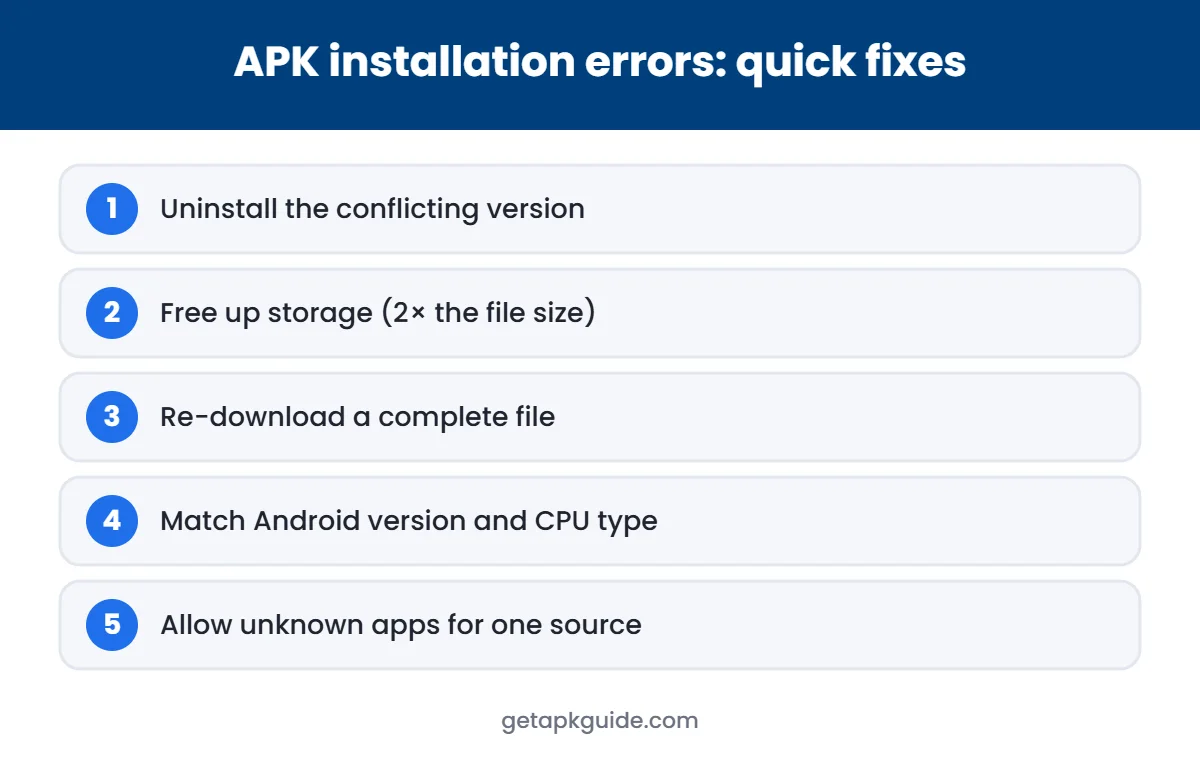
- “App not installed”: usually a signature conflict with an older MX Player version. Uninstall the old one first. See our fix guide.
- Content not available: Amazon MX Player streaming is region-limited.
- Too many ads: ads fund the free service. Use VLC for ad-free local playback.
Privacy and permissions to check
An ad-supported streaming app collects more data than a simple offline player. After you install the MX Player APK from Google Play, open Settings → Apps → Amazon MX Player → Permissions and review what it can access:
- Photos and videos / media: only needed if you want it to play files stored on your phone.
- Location: not needed to watch videos; turn it off unless you have a reason.
- Notifications: turn off if you do not want promotional alerts.
- Ads personalisation: Settings → Google → Ads lets you reset or delete your advertising ID.
Reading the privacy policy linked on the Play listing tells you what the developer says it collects. If you are not comfortable with it, an offline player with no account and no ads is the more private choice.
MX Player APK vs VLC: which should you use?
| Amazon MX Player | VLC | |
|---|---|---|
| Main purpose | Free streaming with ads | Playing your own files |
| Ads | Yes | No |
| Account needed | For some features | No |
| Open-source | No | Yes |
| Network streams (SMB, DLNA) | Limited | Yes |
| Best for | Watching its free catalogue | Offline videos, subtitles, home media |
Many people keep both: Amazon MX Player for its free shows, and VLC for downloaded or recorded videos. If you are switching, see our VLC APK guide for setup tips.
Tips if you use an old MX Player APK
Some people still keep an older MX Player APK from before the Amazon change because they prefer its interface. Be aware that old builds stop receiving security fixes, may break on newer Android versions, and cannot update automatically. If you keep one, do not sign in with important accounts, and replace it with a maintained player when problems start.
MX Player decoders explained: HW, HW+ and SW
MX Player lets you switch the video decoder during playback, which often fixes stutter or a black screen:
| Decoder | What it uses | When to choose it |
|---|---|---|
| HW | The phone’s hardware decoder through Android | Default for most videos; best battery life |
| HW+ | MX Player’s own hardware-accelerated decoder | If HW shows glitches or does not support the file |
| SW | The processor (software decoding) | Unusual formats or when both hardware modes fail |
To switch, tap the HW/SW label on screen while a video is playing. If one mode fails, try the next before assuming the file is broken.
Gestures that make MX Player easy to use
- Swipe up or down on the right side to change volume.
- Swipe up or down on the left side to change brightness.
- Swipe left or right to seek forward or back.
- Pinch to zoom and drag to pan, if enabled in settings.
If gestures feel too sensitive, you can turn some of them off in the player settings.
Subtitles in MX Player
MX Player supports many subtitle formats, including SubRip (.srt), SSA/ASS, WebVTT, MicroDVD and VobSub. Subtitle gestures let you scroll between lines, move the text up or down, and pinch to change the size. For external files, keep the subtitle in the same folder as the video with a matching name.
Kids Lock: hand the phone to a child safely
MX Player includes a Kids Lock that blocks accidental taps while a video plays. To unlock it you touch the four corners of the screen in a set order, which is easy for adults but hard for small children to do by chance. It is a useful alternative to installing a separate app lock. For phone-wide options, see our app lock guide.
MX Player APK vs official app: final checklist
- Install from Google Play whenever it is available in your region.
- If you must sideload, use a signature-verified source such as APKMirror and read Is APKMirror safe?
- Avoid any “Pro”, “ad-free” or “mod” MX Player APK.
- Check permissions after installing and remove anything unrelated to playing media.
- Keep the app updated to get security fixes.
FAQ
Is MX Player still available?
Yes, as Amazon MX Player, an ad-supported streaming app. The older standalone versions are no longer the main product.
Is the MX Player APK safe?
The official app from Google Play is the safe choice. Modified MX Player APK files from third-party sites are not.
Is MX Player free?
The streaming service is free with ads. Paid “Pro” or “ad-free” APKs from other sites are not official.
What is the best free alternative to MX Player?
For playing your own files, VLC is free, open-source and has no ads.
Compare: see our full VLC vs MX Player comparison.