Nova Launcher in 2026: Status, Privacy Changes & Best Alternatives
Nova Launcher was for years the most popular custom home screen for Android. In 2025 its situation changed: its founder left, development stopped, and the app later picked up a new owner and extra ad and tracking code. This guide explains Nova Launcher’s current status, what it means for your privacy, whether you should keep using it, and the best alternatives.
Nova Launcher status in 2026
| Date | What happened |
|---|---|
| 2022 | Analytics company Branch acquired Nova Launcher |
| May 2024 | Last stable update before the shutdown news |
| September 2025 | Founder Kevin Barry said he had left Branch and was no longer involved; a planned open-source release was stopped |
| Late 2025 | The Play listing showed a new owner, Instabridge, and newer versions added ad SDKs |
Sources: Android Authority (September 2025) and heise online. Android Authority noted that Nova “still works”, but without its developer it has no clear future.

What changed for privacy
heise reported that newer Nova versions under the new owner include Google AdMob and Facebook ad SDKs, in both the free and paid Prime versions. Using Exodus Privacy data, it counted trackers rising from two (version 8.1.6) to six (version 8.2.4), and permissions from 30 to 36.
A launcher sees every app you open and can read your notifications if you allow it, so extra tracking code matters more here than in most apps.
Should you keep using Nova Launcher?
- If it works and you are happy, it will keep running for now, but expect no new features and possible compatibility problems with future Android versions.
- If privacy matters to you, consider switching or at least reviewing which permissions Nova has.
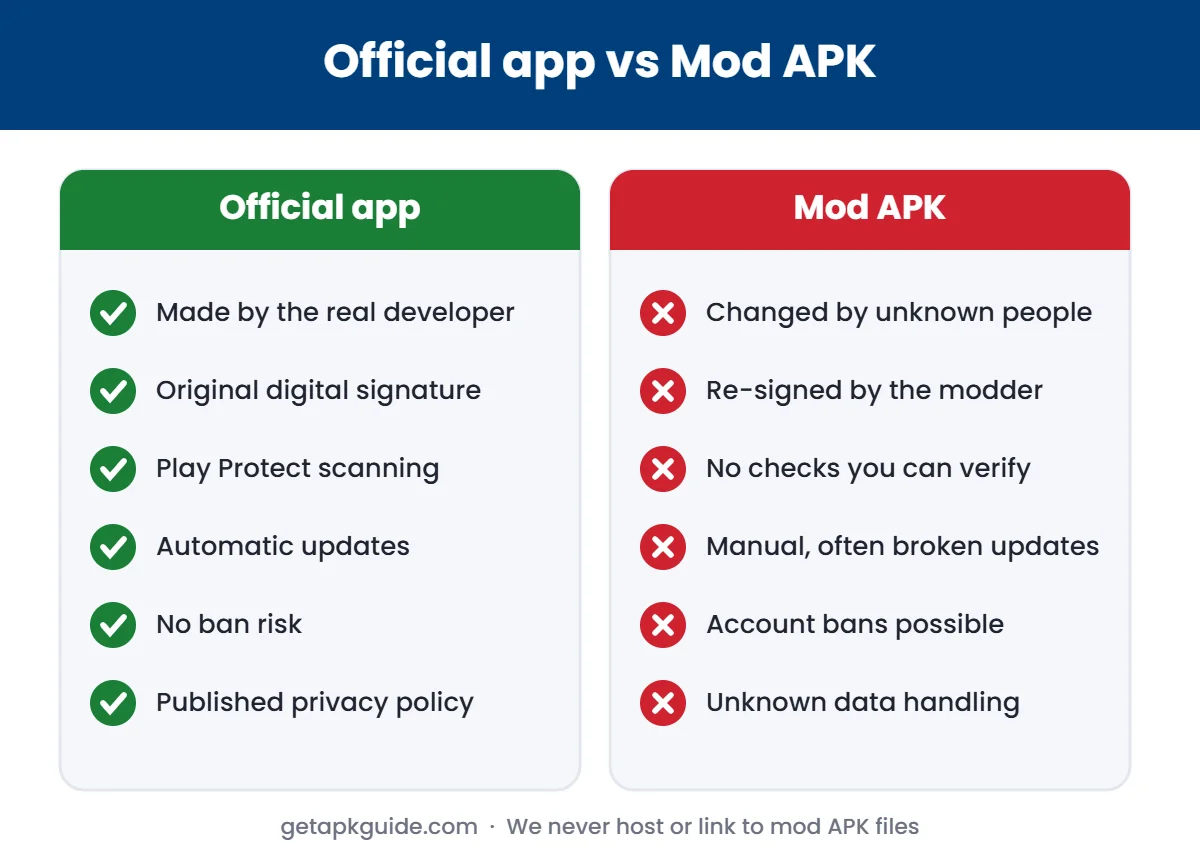
- Never install a “Nova Launcher Prime mod APK”. Modified launchers are especially risky because of the access they get. See why mod APKs are risky.
How to check Nova Launcher permissions
- Settings → Apps → Nova Launcher → Permissions.
- Turn off anything it does not need (for example location).
- Settings → Notifications → Notification access: remove Nova if you do not use notification badges.

Best Nova Launcher alternatives
| Launcher | Type | Why choose it |
|---|---|---|
| Your phone’s default launcher | Built in | Updated with the system, no extra permissions |
| Lawnchair | Open-source | Pixel-style launcher, code on GitHub |
| Niagara Launcher | Minimal | Simple list layout, one-hand use |
| Smart Launcher | Feature-rich | Automatic app sorting, widgets |
| Microsoft Launcher | Feature-rich | Good if you use Microsoft services |
Install alternatives from Google Play where available. Check the developer and recent update dates before you switch.
What is the best launcher for Android?
There is no single best launcher for Android; it depends on what you want from your home screen. Based on the options above:
- Best for most people: your phone’s default launcher. It needs no extra permissions and gets updates with the system.
- Best open-source launcher: Lawnchair, if you like the Pixel look and want public code.
- Best minimal launcher: Niagara Launcher, for a clean list you can use with one hand.
- Best for Microsoft users: Microsoft Launcher, which connects to Microsoft services.
- Best for automatic organisation: Smart Launcher, which sorts apps into categories.
Whichever launcher you pick, install it from Google Play, check the developer and recent update dates, and review its permissions. A launcher sees every app you open, so trust matters more than extra themes or icon packs. If you are unsure, try one for a week and switch back to your default launcher in Settings → Apps → Default apps → Home app if it does not suit you.
How to switch away from Nova Launcher
- In Nova Settings, use Backup & restore to save your layout, in case you return.
- Install the new launcher from Google Play.
- Settings → Apps → Default apps → Home app, and choose the new launcher.
- Uninstall Nova if you no longer need it.
If an alternative fails to install, see our App not installed guide.
What any Android launcher can access
A launcher is the app you see most. It draws your home screen and app drawer, so it always knows which apps you have and when you open them. Depending on the permissions you grant, a launcher can also:
- read notification content to show badges or previews,
- access your contacts and calendar for widgets and search,
- use your location for weather widgets,
- connect to the internet to show suggestions or ads.
That is why it is worth choosing a launcher from a developer you trust, and checking the Data safety section on its Google Play listing before you install.
How to choose a replacement launcher
- Check the last update date on Google Play. A launcher that has not been updated for a year may break on the next Android version.
- Read the Data safety section to see what the developer says it collects and shares.
- Prefer fewer permissions. A simple launcher does not need location or contacts.
- Look for backup and restore so you can move your layout if you change phones.
- Try it for a week before deleting your old setup. You can switch back in Settings at any time.
If you are not sure, your phone’s built-in launcher is a safe default. It is updated together with the system and does not add a new company to the list of apps that can see your activity.
FAQ
Is Nova Launcher discontinued?
Its founder left in September 2025 and development stopped. The app still works, and the Play listing later showed a new owner.
Is Nova Launcher safe in 2026?
The official app is not malware, but newer versions include more ad and tracking code. Review permissions or switch if that concerns you.
Will Nova Launcher become open-source?
According to Android Authority, the planned open-source release was stopped.
What is the best free alternative to Nova Launcher?
Your phone’s default launcher is the simplest choice. Lawnchair is a popular open-source alternative.