6 Best Remini Alternatives for Android (Free & Paid)
Remini is one of the best-known AI photo enhancers, but its best features sit behind a subscription and the free tier comes with limits and ads. If you are looking for Remini alternatives, there are legitimate apps and free tools that can unblur, sharpen, upscale or restore photos. This guide compares the main options honestly, including what each one is good at and where it falls short.
Prices and features change often, so check each app’s official listing before you pay. For details on Remini itself, see our Remini APK guide.
Why people look for Remini alternatives
- Cost: the Pro plan is a recurring subscription.
- Free-tier limits: daily limits, watermarks or ads between enhancements.
- Over-processed faces: AI enhancement can make skin look plastic or change facial features.
- Privacy: photos are processed on the company’s servers, which some people want to avoid.
Some people try a “Remini Mod APK” to remove these limits. That is risky: mod files are changed by unknown people and can include malware. Our article on Remini Mod APK risks explains why. The Remini alternatives below are safer.

Best Remini alternatives at a glance
| App or tool | Best for | Where it runs | Cost model |
|---|---|---|---|
| Google Photos (Photo Unblur) | Fixing blurry shots | Supported Pixel phones | Built in |
| Picsart (AI Enhance) | Quick enhance plus editing | Android, iOS, web | Free tier + subscription |
| PhotoDirector | AI enhance and old photo repair | Android, iOS | Free tier + subscription |
| Adobe Photoshop Express | Editing and touch-ups | Android, iOS | Free tier + subscription |
| Snapseed | Manual sharpening and detail | Android, iOS | Free |
| Upscayl | Free AI upscaling | Windows, macOS, Linux | Free, open source |
1. Google Photos – Photo Unblur
Among free Remini alternatives, this one is easy to miss. If you own a supported Google Pixel phone, the free Photo Unblur tool is in the Google Photos editor (Edit → Tools → Unblur). It also works on older pictures saved on the phone, not just new shots.
Good: no extra app, natural results on mild blur. Limits: only on supported Pixel models; it does not upscale small images.
2. Picsart – AI Enhance
Picsart is a full photo and video editor with an AI Enhance tool that sharpens and upscales images. Of the Remini alternatives here, it is a good choice if you also want filters, text, collages or background removal in the same app.
Good: many tools in one place, available on Google Play. Limits: many AI features need the paid plan; the interface is busy.
3. PhotoDirector
PhotoDirector, from CyberLink, includes AI photo enhancement and tools aimed at repairing old or damaged photos. It is one of the closest Remini alternatives for restoring family pictures.
Good: strong restoration tools. Limits: the best features are part of the subscription, and the free version shows ads.
4. Adobe Photoshop Express
Photoshop Express is Adobe’s mobile editor. As one of the Remini alternatives from a big brand, it covers exposure, noise reduction, healing and quick fixes, with some features linked to an Adobe plan.
Good: trusted developer, solid manual control. Limits: it is an editor first, so face restoration is not as dramatic as Remini’s.
5. Snapseed
Snapseed is a free editor from Google and one of the simplest Remini alternatives. It has no one-tap AI face restoration, but its Details, Structure and Healing tools can noticeably improve a soft photo if you are willing to adjust it by hand.
Good: free, no ads, works offline. Limits: manual work; cannot invent missing detail.
6. Upscayl (free, on a computer)
Upscayl is a free, open-source AI image upscaler for Windows, macOS and Linux. Unlike most Remini alternatives, it runs on your own computer, so photos are not uploaded to a server. See the official Upscayl GitHub page. Download it only from its official site or GitHub page.
Good: free, private, no watermarks. Limits: not a phone app; works best with a decent graphics card.
How to choose the right Remini alternative
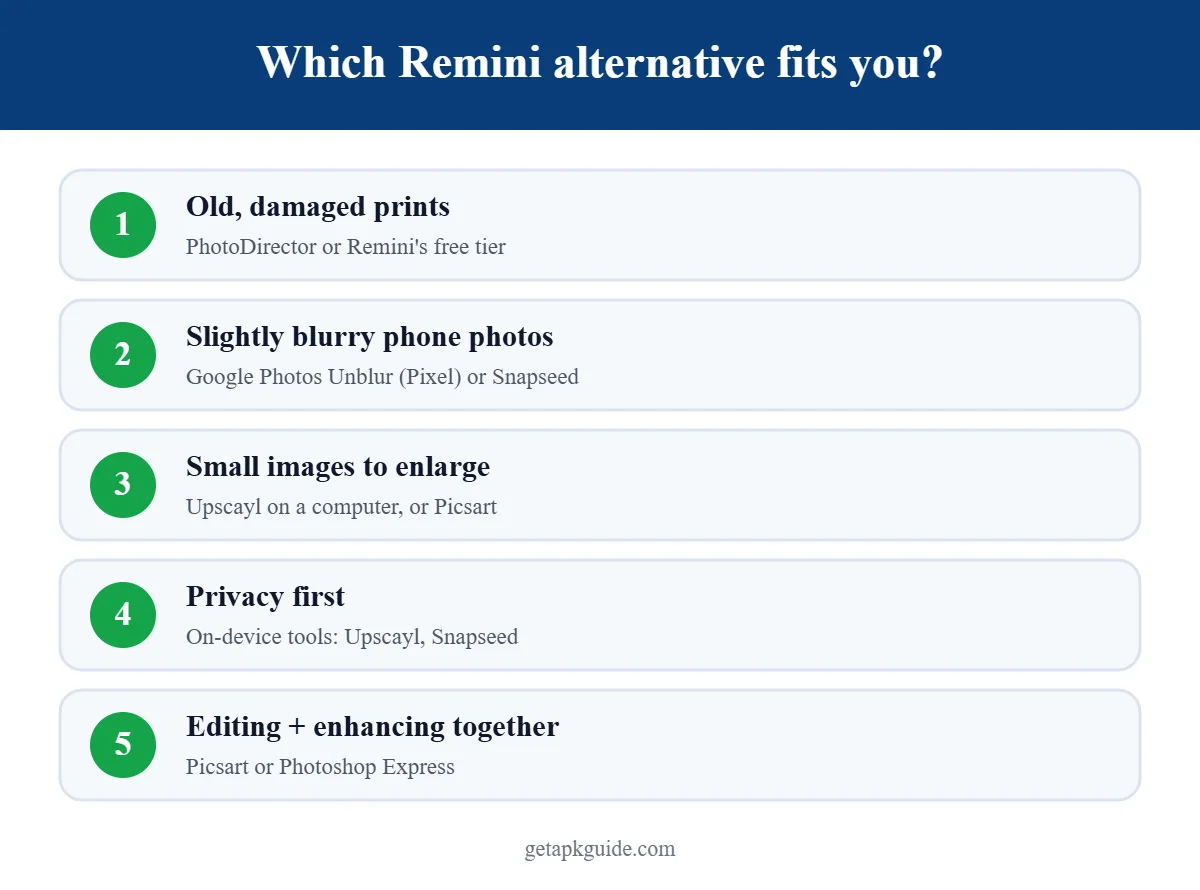
- Old, scratched family photos: try PhotoDirector or Remini’s own free tier first.
- Slightly blurry phone photos: Google Photos Unblur (Pixel) or Snapseed.
- Small images you need bigger: Upscayl on a computer, or Picsart on the phone.
- Privacy first: tools that run on your device, such as Upscayl or Snapseed.
Tips for better results with any AI enhancer
- These tips apply to Remini and all Remini alternatives. Start with the largest, original file you have, not a screenshot or a WhatsApp copy.
- Scan printed photos instead of photographing them at an angle.
- Compare before and after at full size. Use a lower strength if faces start to look unreal.
- Keep the original. AI can add details that were never there.

Thinking about paying for the full version? Read our Remini Pro guide for price, free trial and how to cancel on Android.
FAQ
Is there a free alternative to Remini?
Yes. Snapseed and Upscayl are free, and Google Photos Unblur is built into supported Pixel phones. Most other Remini alternatives offer a limited free tier.
Which Remini alternative is best for old photos?
For damaged prints, apps with dedicated restoration tools, such as PhotoDirector, come closest to Remini. Results vary by photo, so try the free tier first.
Are these apps safe to install?
Install them only from Google Play or the developer’s official website. Avoid “mod” or “premium unlocked” versions. Our safe APK install guide explains how to check a source.
Do AI enhancers upload my photos?
Many cloud-based apps process photos on their servers. Read each app’s privacy policy. On-device tools like Upscayl keep files on your computer.
Related: want Remini on a computer? Read our Remini for PC guide.
Related: need a full editor, not just AI enhance? See the best photo editor apps for Android.