CapCut APK (2026): Official Download, Safety & Ban Status
Searching for a CapCut APK? CapCut is one of the most popular free video editors on Android, but its availability has changed a lot in recent years, and fake download sites have used that confusion to spread malware. This guide explains where to get the official CapCut APK safely in 2026, the current ban status in the US and India, the real risks of “CapCut Pro” and mod APK files, and safe alternatives.
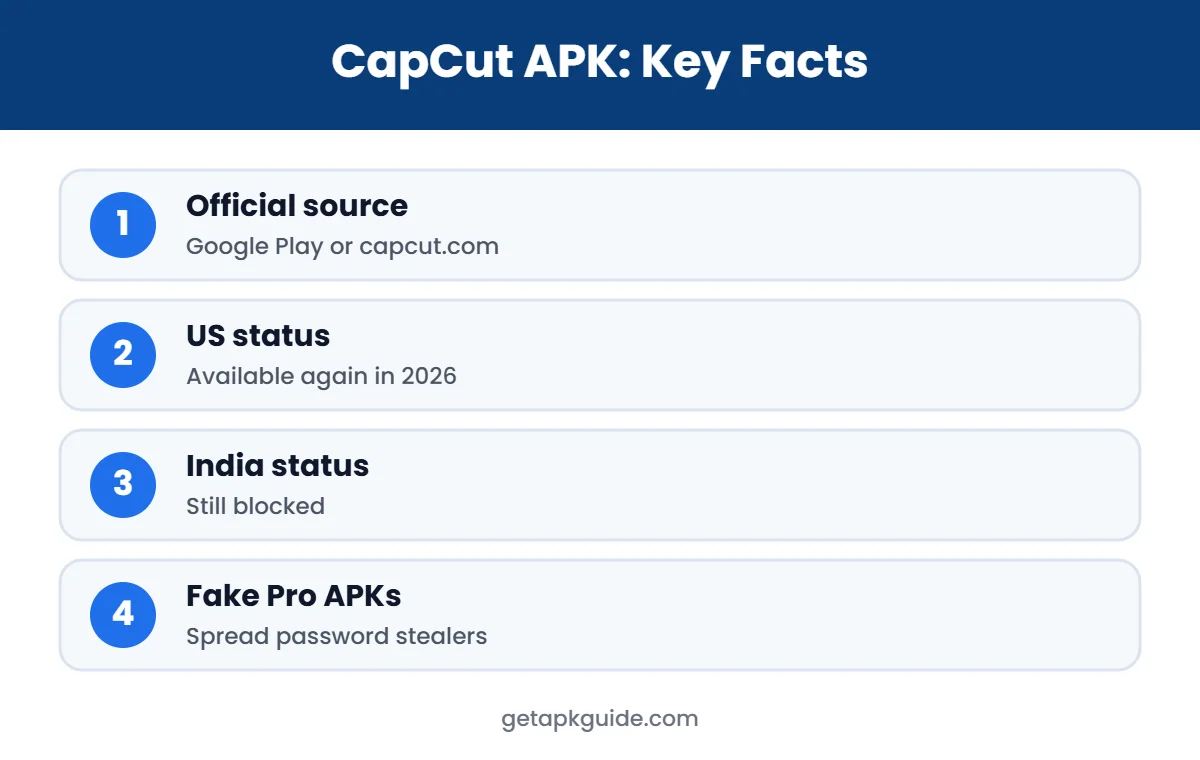
Quick answer: in most countries, the safest way to get CapCut on Android is Google Play or the official website, capcut.com. We do not provide CapCut APK download files or links to modified “Pro” versions, because fake CapCut downloads have been caught spreading password-stealing malware.
What Is CapCut?
CapCut is a free video editing app from ByteDance, the company behind TikTok. It offers templates, auto captions, effects, filters, green screen, keyframes and direct sharing to TikTok and other platforms. By 2023 it had more than 500 million downloads on Google Play (BleepingComputer). A paid CapCut Pro subscription unlocks extra effects, cloud storage and some AI tools.
Official Ways to Get CapCut on Android
- Google Play Store: search “CapCut” and make sure the developer is listed as Bytedance or CapCut. This is the safest option because you get automatic updates and Play Protect scanning.
- Official website: capcut.com links to the official app stores and offers a web and desktop editor.
- Desktop and web: CapCut also has official versions for Windows, Mac and the browser, so you do not need an Android emulator on PC.
If CapCut is not available in your country’s Play Store, that usually means it is blocked there. Downloading a CapCut APK from a third-party site does not change the law, and it adds real security risks.
CapCut Ban Status in 2026
United States
CapCut went offline for US users on 18 to 19 January 2025, along with TikTok, and was removed from the Apple and Google stores. It returned to both US app stores on 13 February 2025. On 22 January 2026, the TikTok USDS joint venture deal closed, and TikTok said its US safeguards also cover CapCut. As of September 2026, CapCut is available in the US on Google Play and the App Store (Hooked timeline).
India
India blocked CapCut in 2020 under Section 69A of the IT Act, and the block was made permanent in January 2021. CapCut remains unavailable in India in 2026, so Indian users will not find it on Google Play (Hooked timeline). We recommend legal alternatives instead of trying to bypass the block.
Availability can change quickly. Always check Google Play in your own country for the current status.
Is a CapCut APK From Other Sites Safe?

Bans in some countries created demand for unofficial downloads, and criminals took advantage. In May 2023, security firm Cyble reported fake CapCut download websites that delivered information-stealing malware called Offx Stealer and Redline Stealer. One file was named “CapCut_Pro_Edit_Video.rar”. The malware stole browser passwords, cookies, crypto wallet data and messaging app data (BleepingComputer).
Those campaigns targeted Windows users, but the lesson applies to every CapCut APK download: a file from an unofficial website can be changed by anyone. Read how to install APK files safely and our Is Uptodown safe? review if you are considering a third-party store.
How to Spot a Fake CapCut APK Site
Fake CapCut APK pages often look professional. They copy the CapCut logo, colours and screenshots, and some even rank in search results for a while. Watch for these warning signs:
- The page offers “CapCut Pro APK unlocked” or “no watermark mod” for free.
- The download is a .rar, .zip or .exe file instead of a link to Google Play.
- The site asks you to turn off Play Protect or your antivirus before installing.
- The domain is not capcut.com, even if the name looks similar.
- You are sent through several ad pages or a “human verification” step before the download starts.
If you see any of these, close the page. A real CapCut APK never needs you to disable security tools.
CapCut Pro APK and Mod APK: Why We Do Not Recommend Them
- Modified code: a “CapCut Pro APK” or “CapCut mod APK” is not made by ByteDance. Someone changed the app and re-signed it.
- Account risk: logging in with your TikTok, Google or Facebook account in a modified app can expose your login.
- Malware history: fake “Pro” CapCut files have already been used to spread password stealers.
- No updates: mods break when CapCut updates its servers, which pushes users to download yet another unknown file.
- Legal issues: unlocking paid features without paying breaks CapCut’s terms.
See how similar mods are handled in our guides to HappyMod safety and Lightroom mod APK risks.
CapCut Free vs CapCut Pro
| Feature | CapCut Free | CapCut Pro (official) |
|---|---|---|
| Basic editing, cuts, text | Yes | Yes |
| Templates | Many | More premium templates |
| Effects and filters | Standard | Extra premium effects |
| Cloud storage | Limited | More space |
| Price | Free | Paid subscription (varies by country) |
| Safe to install | Yes, from Play or capcut.com | Yes, bought inside the official app |
If you need Pro features, buy them inside the official app. Check the current price and cancellation rules on Google Play before subscribing.
CapCut APK Updates and Older Phones
CapCut updates often, adding new effects, templates and AI features. When you install from Google Play, those updates arrive automatically and keep your app compatible with CapCut’s servers. A CapCut APK copied from another site does not update itself, so it will slowly break or miss security fixes.
If your phone is too old for the latest version, Google Play will tell you the app is not compatible. In that case, try CapCut in your phone’s browser through the official web editor, or choose a lighter editor from the alternatives below. Installing an old CapCut APK from an unknown site is not a safe workaround, because old versions can contain bugs that were already fixed and the file itself may be altered.
Do You Need a CapCut APK on PC?
Many people search for a CapCut APK to run in an Android emulator on Windows. In most cases this is unnecessary. CapCut has official desktop apps for Windows and Mac and a browser-based editor, which are faster and safer than running the Android version in an emulator. The 2023 malware campaigns specifically targeted people looking for CapCut on PC, so downloading the desktop version only from capcut.com matters even more on a computer.
If you still prefer the Android app on PC, install an emulator from its official site and use Google Play inside it, rather than loading a CapCut APK file from a random website.
Safe CapCut Alternatives on Android
- InShot: simple editor for short videos, available on Google Play.
- KineMaster: layer-based editing with a free version on Google Play.
- VN Video Editor: free editor with timeline and keyframes.
- YouTube Create: Google’s free editor for short videos, where available.
- Adobe Premiere Rush: cross-platform editor from Adobe.
For photo editing, compare our best photo editor apps list, and for video playback see VLC vs MX Player.
Creators who edit on several devices can also sync projects through their CapCut account in the official apps. This is another reason to stay with official versions: cloud projects, templates and account features depend on the real app talking to CapCut’s servers, and modified copies often break these features or ask you to log in through suspicious pages. Keeping one official app on each device is simpler, safer and better for your projects in the long run.
How to Install CapCut Safely
- Open Google Play and search for CapCut.
- Check the developer name and the download count before installing.
- Tap Install and let Play Protect scan the app.
- Review permissions: CapCut needs access to photos, videos and microphone for editing, but be wary of any copy that asks for SMS or call logs.
- Keep it updated through Google Play only.
If you see install errors on a device without Google Play, read our App Not Installed fixes.
To sum up: get CapCut from Google Play or capcut.com, check your country’s availability, pay for Pro only inside the official app, and skip any CapCut APK that promises free premium features. If CapCut is blocked where you live, pick one of the legal alternatives above instead of searching for workarounds. These simple rules protect your phone, your accounts and your creative work.
FAQ: CapCut APK
Is CapCut APK safe?
The official CapCut app from Google Play or capcut.com is the safe option. CapCut APK files from unofficial sites, especially “Pro” or “mod” versions, are risky and have been used to spread malware.
Is CapCut banned in the US in 2026?
No. CapCut returned to US app stores in February 2025, and as of September 2026 it is available on Google Play and the App Store.
Is CapCut still banned in India?
Yes. India blocked CapCut in 2020, made the block permanent in 2021, and it is still unavailable there in 2026.
Where can I download the official CapCut APK?
Use Google Play on Android, or visit capcut.com for official links. We do not host or link to CapCut APK files.
Is CapCut Pro APK free?
No legitimate CapCut Pro is free. “Free Pro” APK files are modified copies that break CapCut’s terms and can carry malware.