SnapTube APK: Is It Safe? Risks, Legal Issues & Safer Options
SnapTube APK is a video and music downloader for Android that lets people save videos from YouTube, Facebook, Instagram and other sites. It is popular, but it is not available on Google Play, it has a documented history of ad fraud, and using it to download YouTube videos goes against YouTube’s terms. This guide explains the facts, the risks, and safer legal ways to watch videos offline.
We do not host or link to the SnapTube APK or any downloader files.
What is SnapTube?
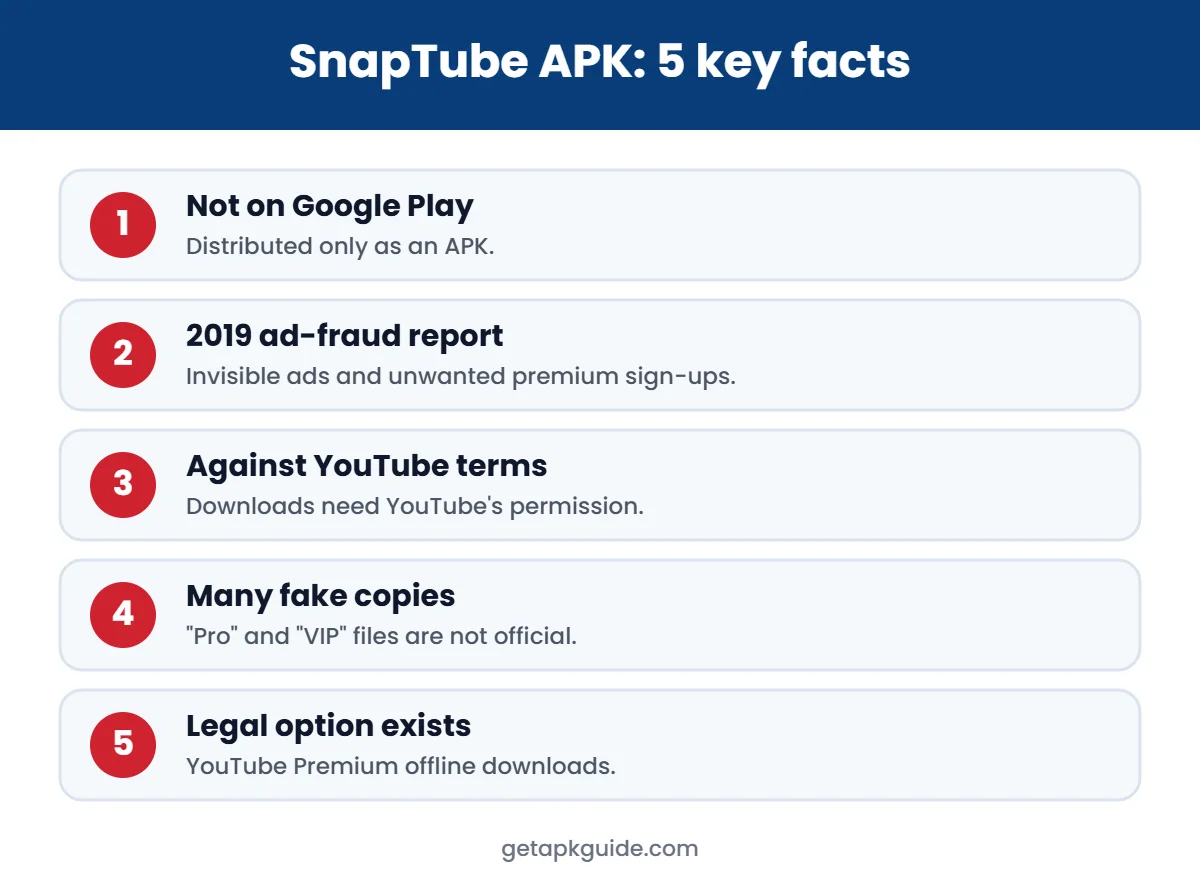
SnapTube is an Android app that shows video sites inside its own browser and adds a download button. Because Google does not allow apps that download YouTube videos on Google Play, SnapTube is distributed as an APK from its own website and third-party stores.
Is the SnapTube APK safe? The 2019 ad-fraud case
In October 2019, security firm Upstream reported that SnapTube, then used by about 40 million people, was running invisible ads in the background, generating fake ad clicks and signing users up for premium services without permission. TechCrunch reported that Upstream blamed a third-party SDK called Mango, and that Sophos had reported similar behaviour in February 2019. SnapTube said it had not realised what the SDK was doing and ended its work with it.
That was years ago, but it shows the core problem with any SnapTube APK: an app outside Google Play can add or change code without any store review, and users may not notice until data, battery or money is lost.
Other risks today
- Fake SnapTube APK sites: many look-alike pages offer “SnapTube Pro”, “VIP” or “mod” files that are not from the developer.
- Heavy ads and permissions: downloader apps often ask for storage, notifications and other permissions.
- Updates outside Play: there is no Play Protect review of each new version before it reaches you.
Is downloading YouTube videos with SnapTube legal?
YouTube’s Terms of Service say you may not download content unless YouTube provides a download option or you have permission from YouTube and the rights holder. Using a SnapTube APK to save YouTube videos therefore breaks those terms. Depending on where you live and what you download, it can also break copyright law. Downloading your own uploads, or content clearly licensed for free use, is a different matter.

Safer, legal ways to watch videos offline
| Option | What it does | Cost |
|---|---|---|
| YouTube Premium | Official offline downloads in the YouTube app | Paid subscription |
| Streaming apps (Netflix, Prime Video, etc.) | Download inside the app for offline viewing | Included with many plans |
| Your own uploads | Download from YouTube Studio or your Google account data | Free |
| Creative Commons videos | Some creators allow reuse; check the licence | Free |
For more options, see our list of the best video downloader apps, which focuses on legal choices.
If you already installed the SnapTube APK
- Uninstall it: Settings → Apps → SnapTube → Uninstall.
- Open Google Play → profile → Play Protect → Scan.
- Check your mobile bill or app subscriptions for charges you did not make.
- Turn off Install unknown apps for your browser. See where to find it.
- If you see strange ads or data use, read our Google Play Protect guide.
SnapTube APK vs TubeMate
Both are YouTube downloaders that are not on Google Play, and both carry the same legal and safety concerns. Our TubeMate APK guide covers that app separately.
How to check a SnapTube APK before installing
Because the SnapTube APK is not on Google Play, every copy you find comes from a website. Many of those sites repackage the file. If you still decide to install it, these checks lower the risk:
- Download only from the developer’s own website, never from “mod”, “VIP” or “no ads” pages.
- Compare the version number and file size with the developer’s page.
- Upload the file to a scanner such as VirusTotal and read every detection, including “adware” and “riskware”.
- After installing, open Settings → Apps → SnapTube → Permissions and remove anything not needed for downloading files.
- Turn off “Install unknown apps” for your browser again. See our install unknown apps guide.
A clean scan only covers that one file. It does not prove the app is safe, especially for an app with a history of ad fraud.
SnapTube APK permissions explained
| Permission | Why it may ask | Should you allow it? |
|---|---|---|
| Storage / media | Saving downloaded videos | Only if you use the app |
| Notifications | Download progress | Optional |
| Display over other apps | Floating player | Not needed – deny |
| Contacts, SMS, call logs | Not needed for downloading | No |
| Accessibility service | Not needed | No – a strong warning sign |
If a SnapTube APK insists on permissions from the last two rows, uninstall it. A video downloader has no reason to read your messages or control your screen.
Signs of adware after installing a downloader
- Full-screen ads appear on the home screen or over other apps.
- New browser tabs open by themselves.
- Battery drains faster and mobile data use jumps.
- Unknown apps or icons appear, or an icon disappears while the app keeps running.
- Your Google Play balance or SMS subscriptions show charges you did not make.
If you see these, follow the removal steps above, then check Settings → Apps sorted by recent install and remove anything you do not recognise. Our Play Protect guide explains how to scan the phone.
SnapTube APK on Android 13, 14 and 15
Newer Android versions add more protection against sideloaded apps:
- Restricted settings: apps installed from a browser cannot get accessibility or notification-listener access without extra confirmation.
- Play Protect live scanning: Google may warn about or remove apps it classes as harmful, even after installation.
- Target SDK limits: very old APK versions may refuse to install. Our “App not installed” guide explains why.
These protections exist for a reason. If Android or Play Protect blocks a SnapTube APK, do not switch them off to force the install.
Legal offline video: quick comparison
| Option | Cost | Works offline | Legal |
|---|---|---|---|
| YouTube Premium downloads | Paid | Yes, inside the YouTube app | Yes |
| Streaming apps with a download button | Plan-based | Yes, inside the app | Yes |
| Creator-provided downloads | Free | Yes | Yes |
| SnapTube APK | Free with ads | Yes | Breaks YouTube’s terms |
For a wider list, see our best legal video downloader apps.
FAQ
Is the SnapTube APK on Google Play?
No. Google does not allow YouTube downloader apps on Google Play, so SnapTube is only available as an APK from outside the store.
Is SnapTube a virus?
SnapTube is not classed as a virus by every scanner, but in 2019 it was caught running ad fraud through a third-party SDK. Treat any SnapTube APK as high risk.
Is SnapTube legal?
The app itself may be legal in many countries, but downloading YouTube videos with it breaks YouTube’s terms and may break copyright law.
What is the safest alternative to SnapTube?
YouTube Premium for YouTube, and the built-in download feature of each streaming app for other content.