KineMaster APK: Free vs Premium Full Guide 2026
KineMaster APK is one of the most searched video editor downloads on Android. People want to know what the free version can do, whether Premium is worth paying for, and whether the “KineMaster Pro” or “no watermark” APK files online are safe. This guide answers all of that for 2026, using KineMaster’s own pricing and support pages, and shows the official ways to install it. We do not link to any modified KineMaster APK.
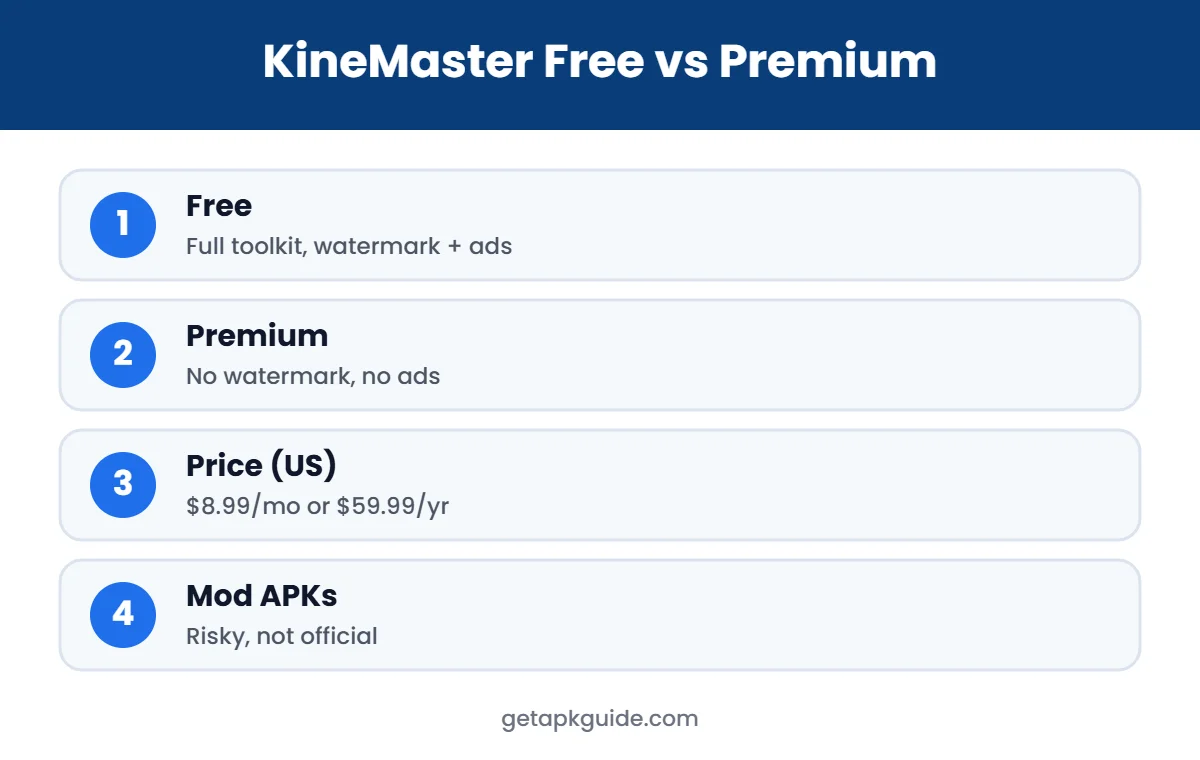
Quick answer: the free KineMaster app from Google Play includes the full editing toolkit, but exports carry a watermark and the app shows ads. KineMaster Premium removes the watermark and ads and adds premium assets and cloud storage. Modded “Pro” APK files are not from KineMaster and carry real security and account risks.
What Is KineMaster?
KineMaster is a mobile video editor for Android and iOS made by KineMaster Corporation, a South Korean company. The app was first released in 2013 under the company name NexStreaming, which was renamed KineMaster in 2019, and it had about 68 million monthly active users in 2020 (Wikipedia). It offers multi-layer editing, chroma key (green screen), keyframe animation, voice-overs, transitions, effects and exports up to 4K on supported phones.
How to Get the Official KineMaster APK Safely
- Google Play: search “KineMaster” and check that the developer is KineMaster Corporation. This is the safest way to install it and to get automatic updates.
- Official website: kinemaster.com links to the official app store listings.
- iPhone and iPad: KineMaster is also on the Apple App Store.
If you need to install on a device without Google Play, read how to install APK files safely and use a trusted source such as those compared in our APKMirror and Uptodown reviews. Never install a KineMaster APK that promises free Premium features.
KineMaster APK Free vs Premium (2026)
| Feature | KineMaster Free | KineMaster Premium |
|---|---|---|
| Full editing toolkit | Yes | Yes |
| Export quality | Up to 4K (device dependent) | Up to 4K (device dependent) |
| KineMaster watermark | Yes | Removed |
| Ads | Yes | Removed |
| Premium assets in exports | No | Yes |
| KineCloud storage | No | 10GB |
| Spring companion app | Free version | Spring Premium included |
| Price (US) | Free | $8.99/month or $59.99/year |
According to KineMaster’s own pricing page (May 2026), the entire editing toolkit is free, and Premium costs $8.99 per month or $59.99 per year in the US, with prices varying by region, platform, taxes and promotions (KineMaster blog). KineMaster’s help centre confirms that subscribing removes all ads and the watermark (KineMaster Help Center). Always check the current price on your app store’s subscription screen.
Is KineMaster Premium Worth It?
- Worth it if: you publish videos regularly, need a clean export without watermark, or use premium transitions, effects and music.
- Choose yearly if: you will use it for more than about six months; the annual plan works out much cheaper per month.
- Stay free if: you edit occasionally for personal use and do not mind the watermark.
Before paying, test the free KineMaster APK with a real project. Every editing tool is available, so you will know exactly what you are buying.
KineMaster APK Updates and Old Versions
KineMaster updates its Android app regularly with new effects, AI tools, bug fixes and support for newer Android versions. When you install the KineMaster APK through Google Play, updates arrive automatically and your projects stay compatible. If you install a KineMaster APK from another source, you must update it manually from the same trusted source, using a file signed by KineMaster Corporation.
Some people look for an old KineMaster APK because an older version felt faster or had a feature they liked. Old versions can still work for simple edits, but they miss security fixes, may not open projects made in newer versions, and can stop connecting to the asset store. If you must use an older version, get it only from a reputable archive that keeps the original developer signature, and avoid signing in with your main account.
KineMaster Mod APK and “Pro” APK: The Risks
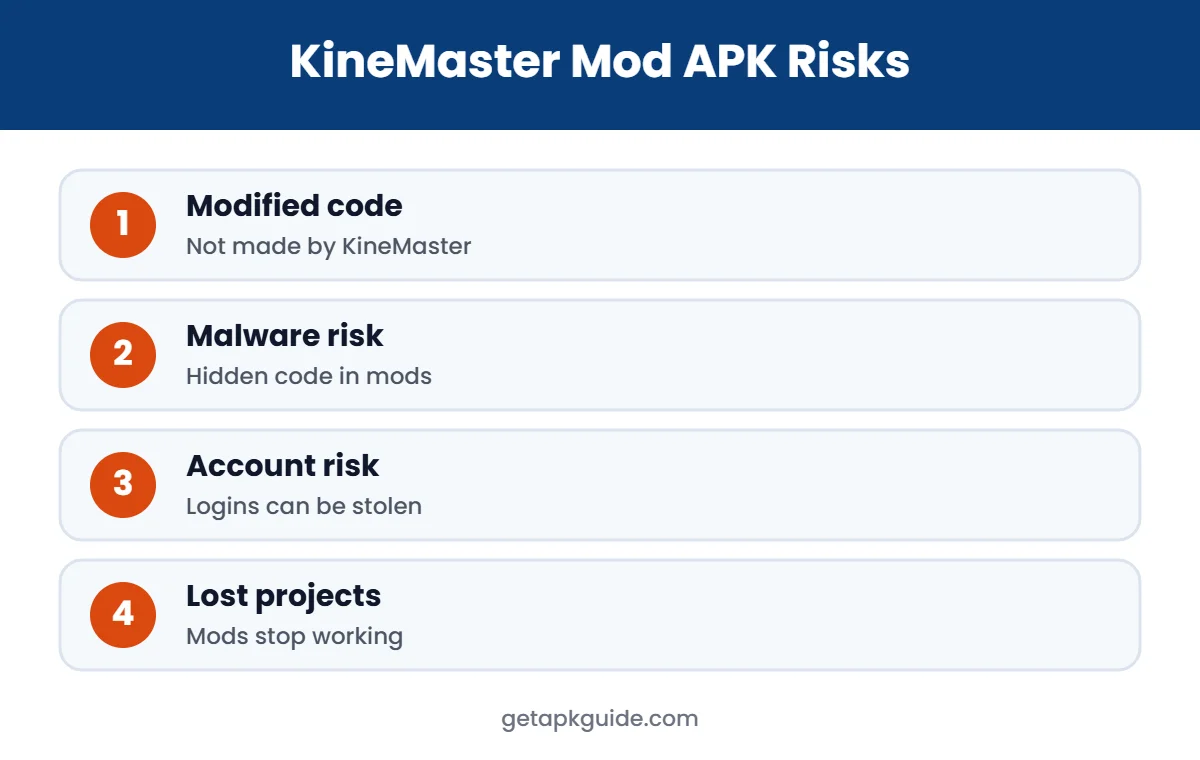
Searches for a “KineMaster Pro APK” or “KineMaster mod APK no watermark” lead to sites that offer modified copies. These files are not made or approved by KineMaster Corporation. Someone has changed the app’s code and re-signed it, and you cannot see what else was added.
- Malware risk: modified apps are a common way to spread malware. Security firms have documented trojans hidden in popular Android mods, as we explain in our GB WhatsApp APK risks and CapCut APK guides.
- Account risk: logging in to a modified app can expose your Google or KineMaster account.
- Broken features: asset store downloads, cloud backups and updates often fail in modded copies.
- Lost projects: when a mod stops working, projects can become impossible to open in the official app.
- Terms and law: unlocking paid features without paying breaks KineMaster’s terms and can infringe copyright.
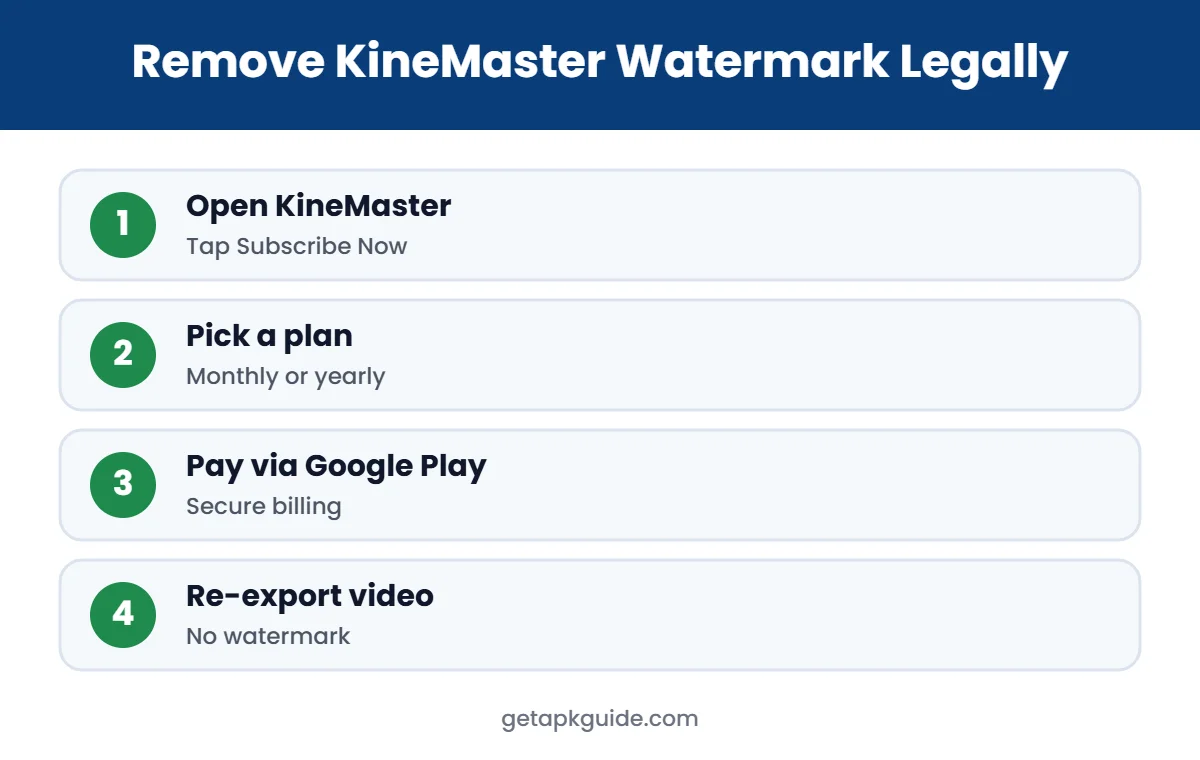
How to Remove the KineMaster Watermark Legally
- Open KineMaster and tap Subscribe Now on the home screen, or go to Settings, then My Information.
- Choose Monthly or Annual and pay through Google Play.
- Export your video again. New exports no longer have the watermark.
If a payment fails or you want a refund, KineMaster says to contact Google Play or Apple, because they handle billing. To cancel, manage the subscription in Google Play, Payments and subscriptions.
KineMaster APK Permissions Explained
The official KineMaster APK asks for permissions that match video editing:
- Photos and videos / storage: to import clips and save exports.
- Microphone: for voice-overs and recording audio.
- Camera: to record clips directly in the app.
- Notifications: to show export progress.
Be careful with any KineMaster APK that asks for SMS, call logs, contacts or accessibility access. A video editor does not need them, and such requests are a strong sign that the file was modified.
Using KineMaster APK on PC or Chromebook
KineMaster is a mobile app, so there is no official Windows version. On a Chromebook, install it from the built-in Play Store; if Play is not available, see our guide to install APK on Chromebook. On Windows or Mac, you would need an Android emulator, which is usually slow for video editing. Desktop editors such as CapCut for desktop or Premiere Rush are often a better choice on a computer.
KineMaster System Requirements and Tips
- Keep plenty of free storage; video projects and assets fill space quickly.
- 4K export depends on your phone’s chipset; older devices may only support 1080p.
- Close other apps before exporting long videos to avoid crashes.
- Back up important projects, for example with KineCloud on Premium.
If the app will not install, see App Not Installed fixes and common APK installation errors.
Getting the Best Exports in KineMaster
Whether you use the free or Premium version, a few export habits make a big difference to quality and file size:
- Match the project aspect ratio to the platform: 9:16 for Reels, Shorts and TikTok, 16:9 for YouTube.
- Export at the same frame rate you recorded, usually 30 or 60 fps.
- Use 1080p for social media unless you really need 4K; files are smaller and upload faster.
- Raise the bitrate only for footage with lots of motion, such as sports or gaming.
- Preview the whole video before exporting to catch missing clips or audio gaps.
These steps work on any phone and help you get clean, sharp videos without paying extra or installing risky add-ons.
Safe KineMaster Alternatives
- CapCut: free editor with templates and auto captions, where available. See our CapCut APK guide.
- InShot: simple editor for short social videos.
- VN Video Editor: free timeline editor with keyframes.
- Adobe Premiere Rush: cross-platform editor from Adobe.
- YouTube Create: Google’s free short-video editor, where available.
A final tip on value: if you only need a clean export once, a single month of Premium may be enough, as long as you cancel before renewal. For regular creators, the yearly plan is usually the better deal. Either way, paying inside the official KineMaster APK keeps your projects, purchases and account safe.
FAQ: KineMaster APK
Is KineMaster APK free?
Yes. The official KineMaster app is free and includes the full editing toolkit. Free exports have a watermark and the app shows ads.
How much is KineMaster Premium in 2026?
In the US, KineMaster lists $8.99 per month or $59.99 per year as of May 2026. Prices differ by country, so check your app store.
Is KineMaster mod APK safe?
No. Modded KineMaster APK files are changed by unknown people, can contain malware, and break KineMaster’s terms. Use the official app instead.
Is KineMaster a Chinese app?
No. KineMaster is made by KineMaster Corporation, a company based in South Korea.
Can I remove the KineMaster watermark for free?
There is no official free way. The watermark is removed by subscribing to KineMaster Premium.